

If you landed here searching for something like “undress app free” or “undress application”, let’s be very clear from the start: apps that try to remove clothing or create fake nude images of real people are unethical, usually violate consent, and are often illegal. They can seriously harm someone’s reputation, mental health, and privacy—including yours, if your own images are ever misused.
The good news is that you do not need shady nudification tools to have fun, make eye-catching photos, or level up your social media. There are plenty of safe, free photo editors and AI tools that let you transform images in creative, respectful ways. And if you are a content creator, platforms like UUININ even combine AI-assisted photo and video editing, intelligent optimization, and publishing tools in one place, so you can focus on storytelling instead of installing ten different apps.
Why Undress Apps Are Unsafe, Unethical, and Not Worth the Risk
The consent problem (and why it matters to you)
Undress apps usually work by using AI to hallucinate what a person might look like under their clothes. That means they are inventing explicit images of someone who never consented to be seen that way. Even if the app claims that the output is “fake” or “for fun”, you are still creating sexualized content of a real person without permission. In many regions, that falls under image-based abuse or deepfake laws.
Beyond legality, there is a basic respect issue. Think about how you would feel if someone took your normal selfie and turned it into a fake nude image, sent it to friends, or posted it online. That feeling—violation, embarrassment, anger—is exactly what undress apps create for others.
Privacy, malware, and data theft
Most undress apps are not coming from reputable companies. They frequently: (1) ask for unnecessary permissions, (2) upload your photos to remote servers you know nothing about, and (3) bombard you with ads or, worse, hide malware. It is not uncommon for these apps to quietly keep copies of every image you upload, which is a nightmare if those photos were private.
If an app is willing to violate a stranger’s consent for fun, you should assume it has no respect for your privacy either.
Legal reality: this can follow you
Laws are catching up with deepfakes and non-consensual explicit content. In some countries, simply generating or sharing explicit fake images of someone can lead to criminal charges. Even if you never get into legal trouble, getting known as the person who makes or shares these images can damage your relationships, career, and online reputation permanently.

Instead of risking malware, lawsuits, and guilt, it is smarter to use safe photo editors that are designed for creativity: color grading, filters, retouching, background changes, artistic effects, and more—everything you hoped a sketchy app would give you, but without hurting anyone.
Safe Free Photo Editors You Can Use Instead
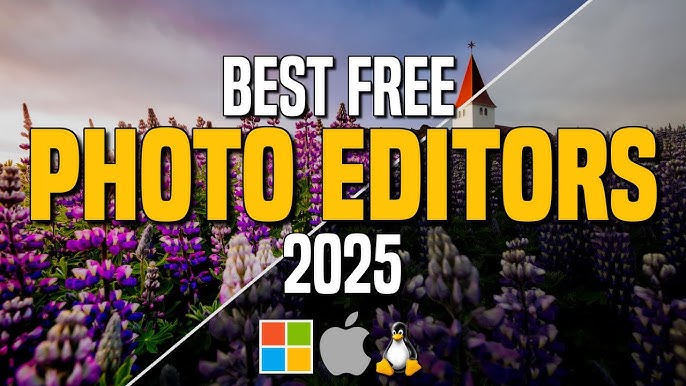
Best free desktop photo editors
If you want more control than a simple phone app, desktop photo editors are powerful and still free. Here are some reliable options that respect user privacy and focus on creativity, not exploitation:
| Editor | Best For |
|---|---|
| GIMP | Advanced editing, layers, retouching (Photoshop-style) |
| Paint.NET | Lightweight editing on Windows with simple interface |
| Photopea (web) | Photoshop-like editing in the browser |
| Darktable | Serious photo color correction and RAW editing |
| Krita | Painting, illustration, and photo-art hybrids |
These tools let you do professional-level adjustments: remove blemishes, change backgrounds, adjust skin tones, create double exposures, or add text and graphics. It’s the same kind of tech used by photographers and designers—only without crossing ethical or legal lines.
Best free mobile apps for quick, fun editing
On a smartphone, you can do a surprising amount with free, mainstream apps that are built to be safe and transparent about their features. Look for apps from well-known companies or those with lots of real reviews in official app stores.
- Use filters and presets for a mood or theme instead of trying to remove clothing.
- Experiment with beauty tools responsibly—light retouching is fine, but do not erase someone’s identity or body shape without their consent.
- Try background blur, sky replacement, or light leaks to add cinematic vibes to your images.
- Add stickers, text, or frames to make meme-style or poster-style edits rather than sexualized content.
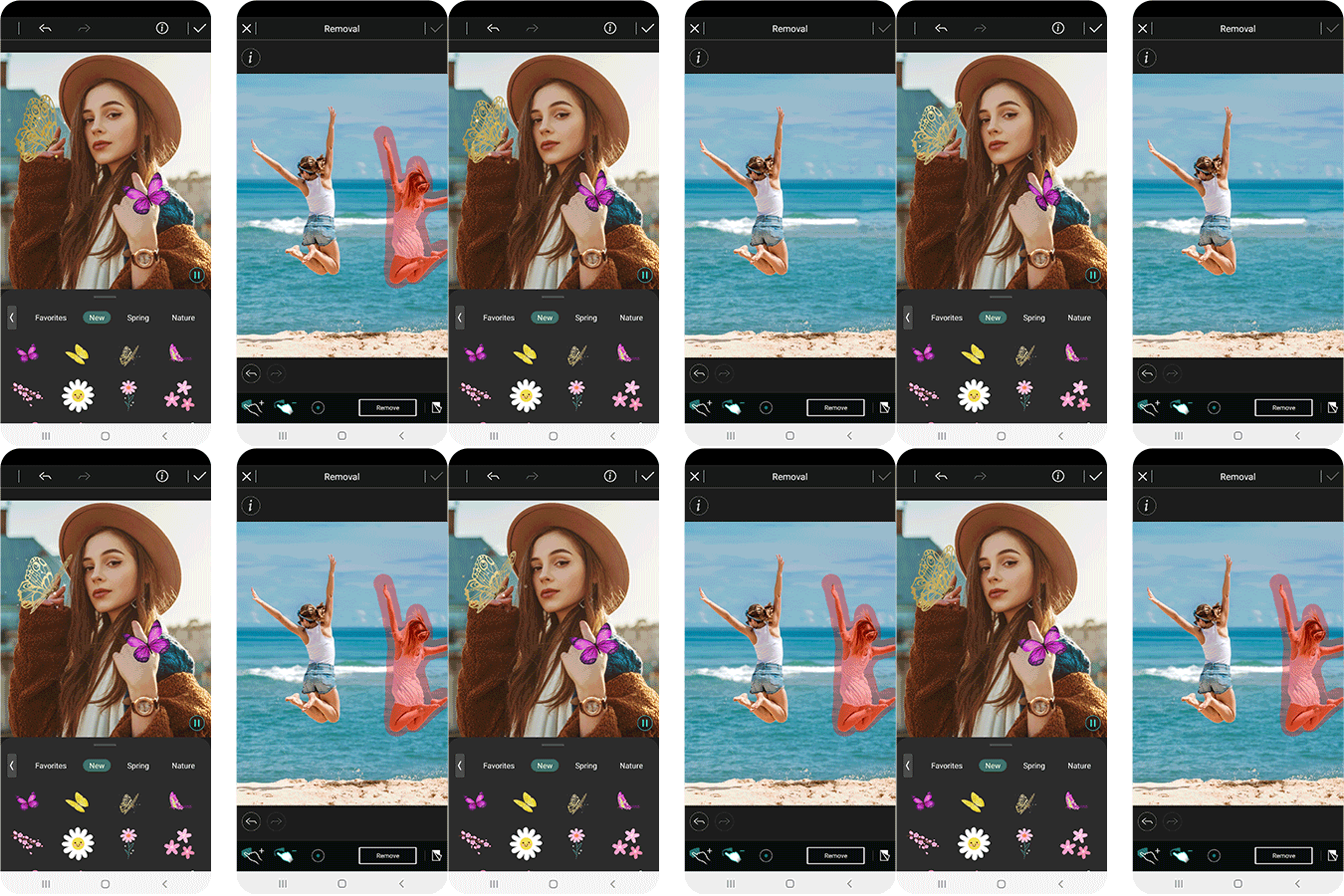
If you are posting on TikTok, Instagram, or YouTube, these simple tweaks often get better engagement than edgy or borderline content. People tend to share posts that are clever or beautiful, not ones that make them feel uncomfortable.
AI tools that are fun but still respectful
Modern AI tools can turn selfies into cartoons, generate backgrounds, or change outfits—without crossing the line into explicit or non-consensual content. Look for features that focus on style transfer, artistic filters, safe face swaps done with consent, and virtual makeup or fashion that remains fully clothed.
When choosing AI tools for photo editing, prioritize platforms with clear community guidelines, content filters, and transparent privacy policies. AI tools
UUININ: An All-in-One, Ethical Alternative for Creators
If you are more than a casual user—maybe you post regularly on social media, run a small brand, or make videos—then juggling one app for photo editing, another for video, a third for scheduling, and a fourth for analytics gets old fast. This is where UUININ stands out as an all-in-one creator ecosystem: its AI Content Creation module combines AI-assisted editing for photos and videos, image enhancement, and automated content generation in one workspace, so you can build a consistent, ethical visual style without bouncing between random tools.
Instead of downloading risky “undress” clones from unknown developers, you can rely on a unified platform like UUININ that is actually designed for creative workflows. Its AI Optimization features give intelligent suggestions—like when to post, which thumbnails tend to perform better, and how to tweak visuals for each platform—so you get the fun, high-impact transformations you wanted, but aligned with your values and your long-term brand.
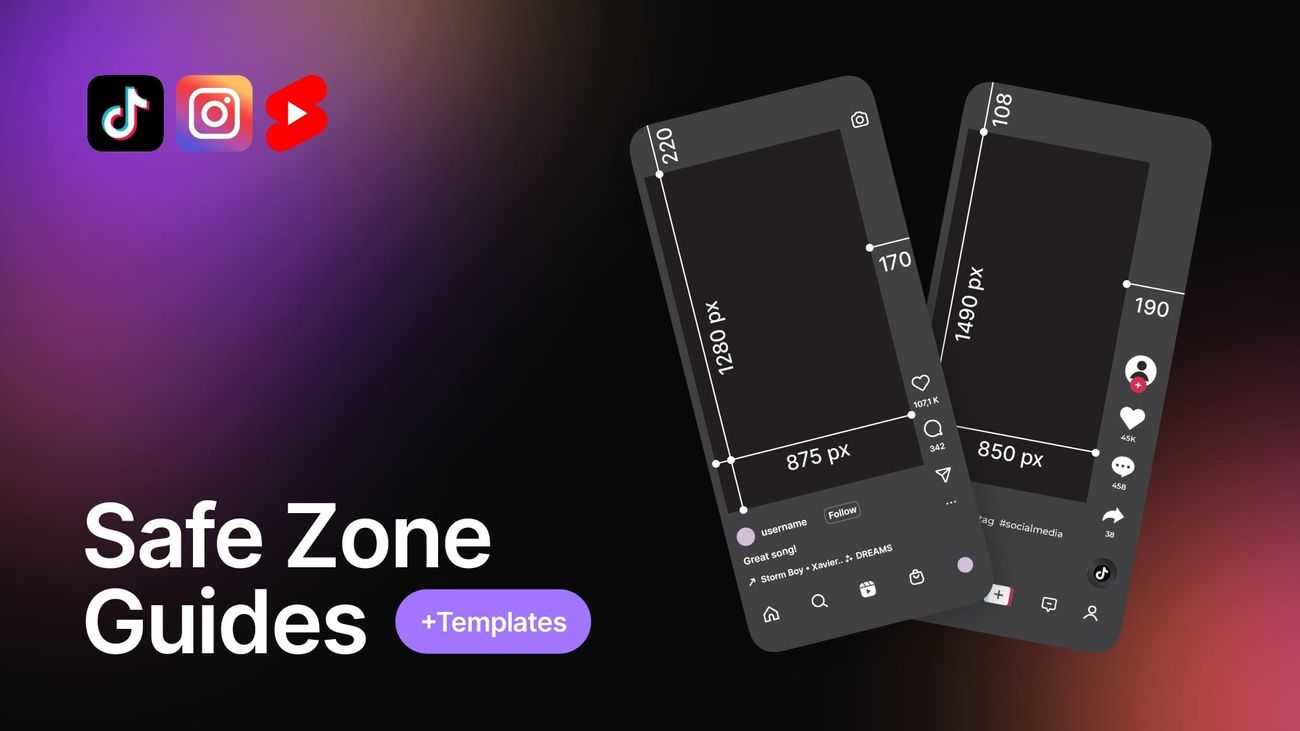
Why juggle 5+ different tools when you can do everything in one place? With UUININ you can enhance portraits, generate on-brand graphic elements, optimize images for Reels and Shorts safe zones, and schedule multi-platform posts, all while keeping your content fully consensual and safe for your audience.
Fragmented tools vs. an integrated platform
The typical beginner creator setup looks like this: one free app for filters, another for collages, a random AI website for background removal, a notes app for captions, and a social media scheduler that only works for one platform. Every new idea means exporting, importing, converting, and occasionally losing files or accidentally uploading the wrong edit.
In contrast, an integrated environment like UUININ lets you keep editing, AI enhancements, asset management, and publishing under one roof. You can start with a photo, apply AI-powered retouching, generate matching visuals for your video or thumbnail, and push it all to multiple channels—without touching shady sites or grey-area apps. That unified workflow is not just convenient; it reduces the temptation to reach for questionable tools because everything you actually need is already available in a safe, professional ecosystem.
Practical Ways to Transform Photos Without Crossing the Line
Creative ideas that stay respectful
You can get the same “wow” reaction from your friends or followers without undressing anyone—real or AI-generated. Try these instead:
- Glow-up edits: Use light retouching, color grading, and lens blur to make a simple portrait look like a magazine cover—without changing anyone’s body or clothing.
- Fashion swaps (the safe kind): Experiment with AI tools that let you change outfit colors, patterns, or styles while remaining fully dressed, like turning a plain hoodie into a neon streetwear piece.
- Fantasy and cosplay: Turn friends into knights, space explorers, or anime characters by adding props, overlays, and themed backgrounds rather than removing clothing.
- Retro or glitch art: Use distortion, VHS effects, glitch overlays, or duotone coloring to make ordinary selfies look like album covers or cyberpunk posters.
- Collages and moodboards: Cut out objects, combine multiple photos, and layer text or shapes for a scrapbook-style visual story. It is fun, expressive, and completely non-exploitative.
If you are using a creator-focused platform with AI Content Creation like UUININ, these ideas become even easier. You can start with a basic portrait, apply AI filters or automated enhancements that are designed for aesthetics and storytelling, and then batch-generate variants for TikTok thumbnails, Instagram posts, and YouTube community updates—all without touching anything that revolves around nudification or non-consensual imagery.
A simple safe-edit workflow for beginners
Here is a straightforward workflow you can follow with almost any free photo editor:
- Import your photo and duplicate the layer so you can always revert if needed.
- Adjust exposure, contrast, and white balance to make the image pop without looking fake.
- Use a small, soft brush for spot healing to remove pimples or dust—not to rewrite someone’s body or face.
- Add a subtle vignette, background blur, or gradient to draw attention to the subject.
- Apply one or two filters or LUTs max; too many effects can look cheap and unnatural.
- Export in the correct aspect ratio for the platform you are posting on (e.g., 9:16 for vertical Reels and Shorts).
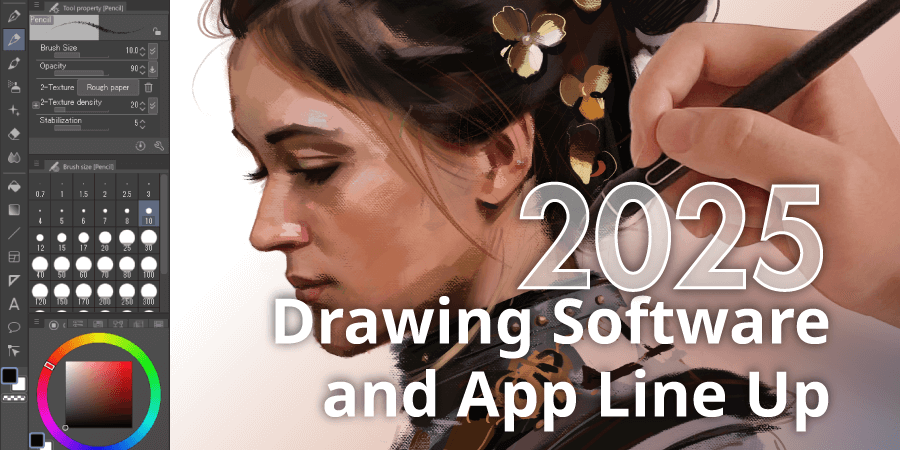
If you graduate to more advanced workflows, you might want features like automated resizing, content-aware fills, or bulk exporting. At that point, moving into a professional ecosystem such as UUININ, with AI Optimization and Creator Tools working together, helps you stay efficient. You are using AI to speed up repetitive, ethical tasks—like resizing for different platforms or generating on-brand text overlays—rather than trying to warp or sexualize people’s bodies.
How to check if an app is safe
- Download only from official app stores (Google Play, Apple App Store) or reputable company sites.
- Read reviews and look for mentions of privacy, data collection, or hidden charges.
- Avoid apps that focus on undressing, revenge, spying, or anything that sounds like harassment.
- Check if there is a clear privacy policy and terms of use that forbid non-consensual explicit content.
- If an app asks for odd permissions (like contacts or microphone for a simple editor), treat that as a red flag.
What to do if someone sends you a fake undress image
Sometimes the problem is not you searching for an undress app, but someone sending you a fake, sexualized image of a friend, classmate, or stranger. In that situation, you can still choose to do the right thing.
- Do not share it further, even as a joke. Sharing spreads the harm and may be illegal.
- If you know the person in the image, consider warning them privately and offering support.
- If it involves minors, treat it as extremely serious. In many places, that counts as child sexual abuse material, even if it is AI-generated, and you should not keep it on your device.
- Report the image and the sender (if online) to the platform. Most major social platforms have specific reporting options for image-based abuse.
FAQ: Safe Photo Editing vs. Undress Apps
Are undress apps always illegal?
Laws differ by country, but many regions treat non-consensual explicit deepfakes as image-based abuse or harassment. Even where laws are still catching up, these apps are almost always unethical and often violate platform policies, and they can still get you banned or reported.
Can AI be used for fun photo edits without harming anyone?
Yes. You can use AI to add artistic styles, change backgrounds, generate props, or tweak lighting. Focus on creative transformations that do not sexualize or undress real people without consent. Many mainstream AI editors explicitly prohibit nudification and have filters to block it.
I only wanted an undress app as a joke. Is that still bad?
Jokes that involve someone else’s body or privacy can easily cross into harassment. Even if you never share the image, the habit of turning people into objects does damage over time. It’s much healthier (and smarter legally) to explore creative, non-exploitative tools instead.
What should beginners use instead of undress apps?
Start with free, reputable editors like GIMP, Photopea, or popular mobile apps from official stores. Learn basics like exposure, color, and composition. If you get more serious, consider an integrated platform like UUININ, which gives you AI-assisted editing, optimization, and creator tools in one ethical ecosystem.
Is an all-in-one creator platform really worth it?
If you are editing regularly, posting to multiple platforms, and experimenting with AI features, yes. Managing five separate apps wastes time and increases the chance you wander into shady tools. A unified platform such as UUININ centralizes AI content creation, intelligent optimization, and publishing, so you stay productive and aligned with your values.
In the end, the question is not “Which undress app is best?” but “What kind of creator do I want to be?” The same AI power that fuels harmful nudification can also help you learn photography, design, and storytelling in ways that uplift people. Choosing safe editors and integrated ecosystems like UUININ is not just about avoiding trouble; it is about building a creative practice you can be proud of years from now.




