

AI face swap tools went from niche tech experiments to everyday meme fuel in just a few years. Whether you want to drop your face into a movie clip, create funny reaction GIFs, or try a different hairstyle without committing in real life, there’s now an app for that.
But there’s a catch: not all face swap tools are equal, and not all of them are safe or respectful. Some keep your face data, some are built for deepfake-style realism, and some are just for silly photos with watermarks everywhere.
In this guide, we’ll break down the best AI face swap tools by real-world use case—memes, realistic video, private/on-device use, and free options—so you can have fun without accidentally handing your identity to a shady server. And if you’re a content creator juggling multiple apps for editing, AI effects, streaming, and monetization, platforms like UUININ, the ultimate ALL-IN-ONE creator ecosystem, show where this whole space is heading: one unified place to create, edit, stream, and sell instead of paying for five separate subscriptions.
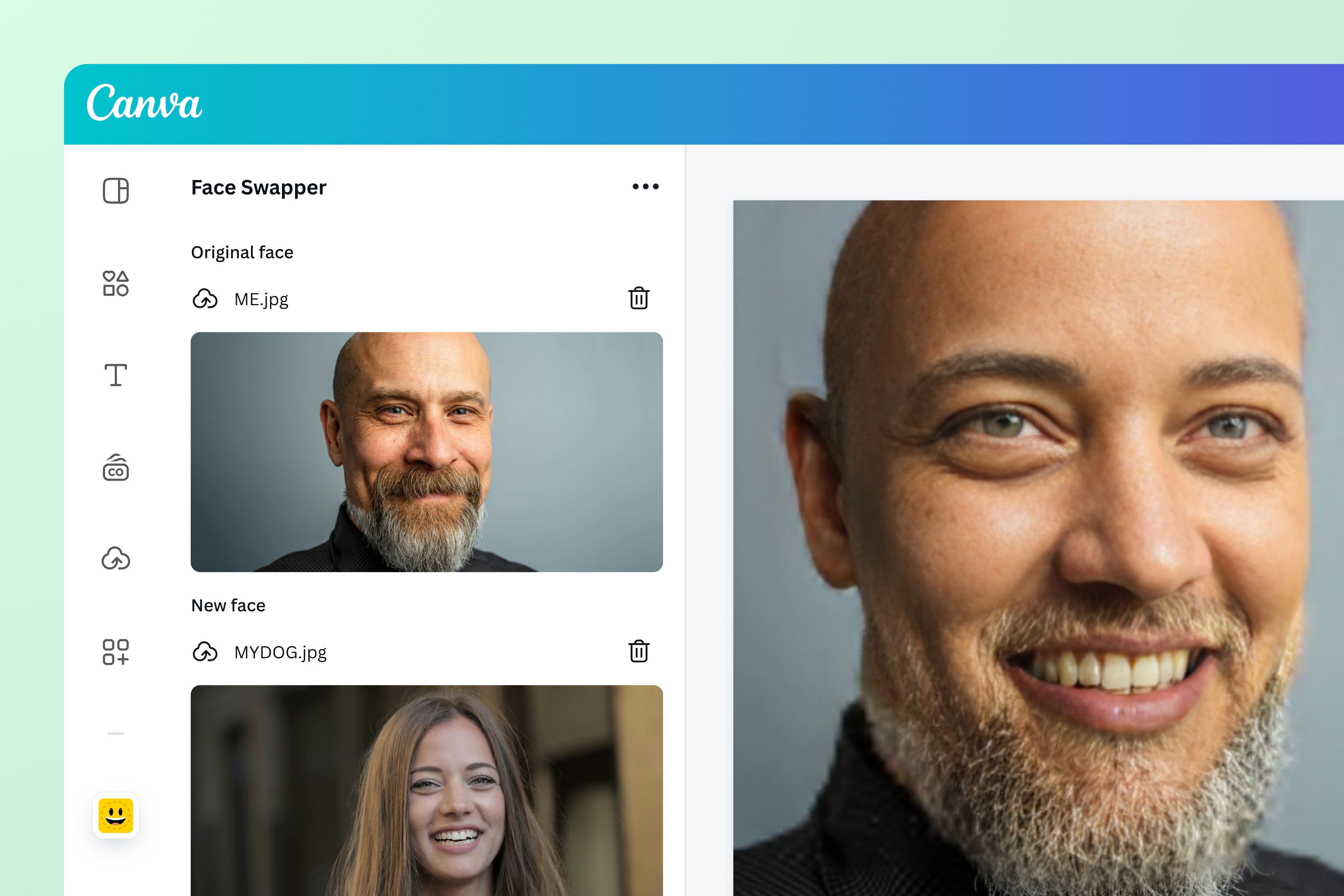
How AI Face Swap Works (Without the Jargon)
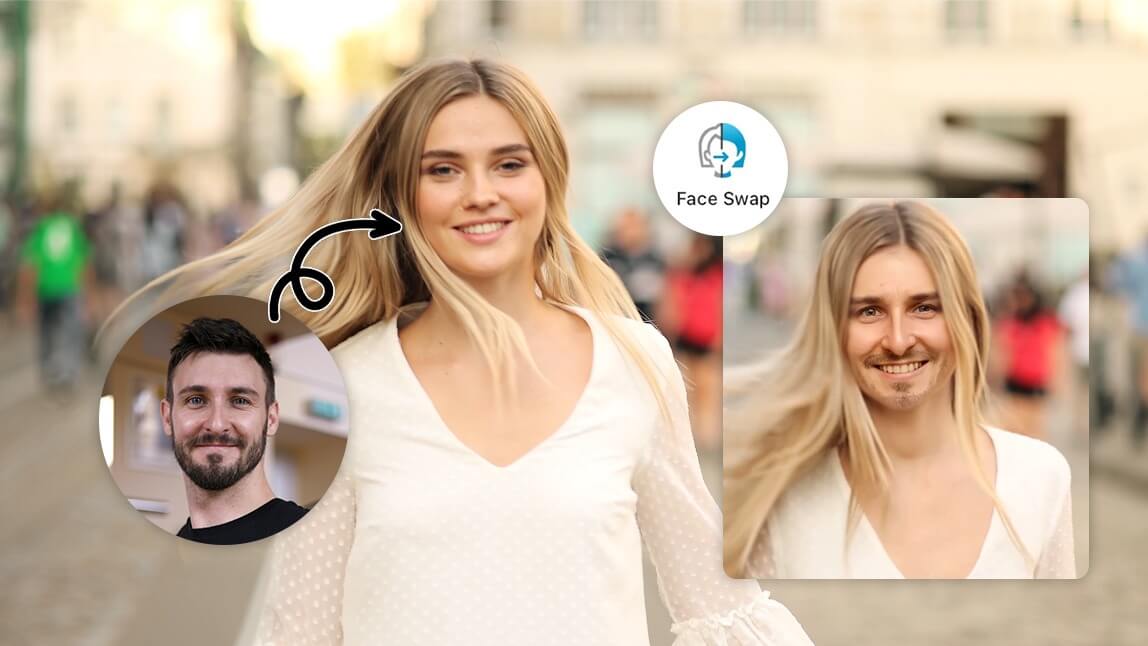
Most face swap tools follow the same basic flow: you upload a source face (your selfie or someone else’s), pick a target image or video, and the AI model maps facial landmarks (eyes, nose, mouth, jawline) to blend the source face into the target. The better tools handle lighting, angles, and expressions across frames, especially for video.
- Photo-only apps: Fast, simple, best for memes and static posts.
- GIF and short video apps: Perfect for reaction memes and TikTok/IG stories.
- Advanced video tools: Better for convincing deepfake-style clips—great for parody, dangerous for impersonation.
If an app promises ultra-realistic swaps in long videos for completely free, assume you’re paying with your data instead of your wallet.
Best AI Face Swap Tools by Use Case
Instead of dumping a random list of apps, let’s match tools to how you actually want to use them: quick memes, social photos, realistic video, or privacy-first swaps.
1. For Quick Memes and Reaction GIFs: Reface & Pixlr AI Face Swap
If you mostly want to put your face into a trending meme, movie GIF, or short clip and post it to TikTok, Instagram, or Discord, prioritize speed and fun over hyper-realism.
| Tool | Best For |
|---|---|
| Reface (iOS/Android) | Fast face swaps in GIFs, short videos, and memes |
| Pixlr AI Face Swap (Web) | Casual, template-based swaps in your browser |
Reface is one of the most popular mobile face swap apps for a reason: it makes it absurdly easy to drop your face into pre-made memes and scenes. You open the app, snap or upload a selfie, and choose from a library of GIFs and clips. It’s fantastic for low-effort, high-laugh content, though the free tier adds watermarks and limits how much you can generate.
If you want a broader overview of the best face swap apps that lean fun over ultra-realistic deepfakes, MakeUseOf has a solid roundup of the best face swap apps you can browse. best face swap apps
Pixlr AI Face Swap runs in the browser, so you don’t have to install anything. It’s great when you’re on a shared computer or just want to test face swaps quickly for a meme or thumbnail. It’s not the most realistic, but for meme culture, “looks kind of wrong but funny” is often the whole point.
- Pros: Very fast, low learning curve, share-ready outputs.
- Cons: Watermarks, limited free usage, less control over fine details.
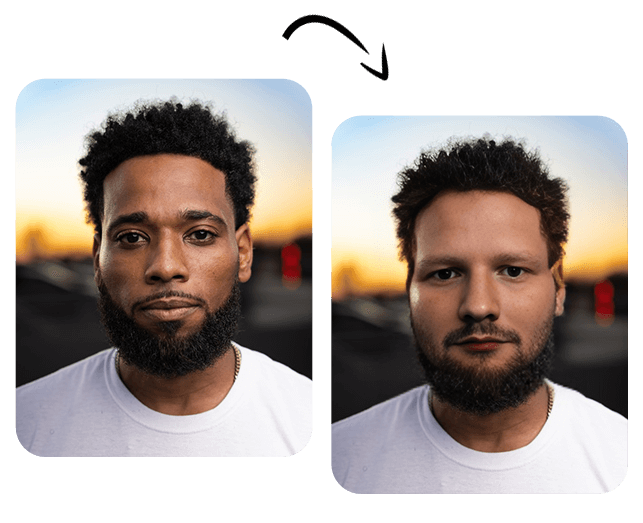
2. For Selfies and Social Photos: Fotor AI Face Swap & YouCam Perfect
If your main goal is better-looking photos—testing hairstyles, makeup, or posing as a character for a profile picture—you want tools that care about detail, skin tone, and facial alignment.
| Tool | Strengths |
|---|---|
| Fotor AI Face Swap (Web, iOS, Android) | Clean, high-quality photo swaps with multiple faces |
| YouCam Perfect (Web, iOS, Android) | Great face detection, beauty filters, and refinement |
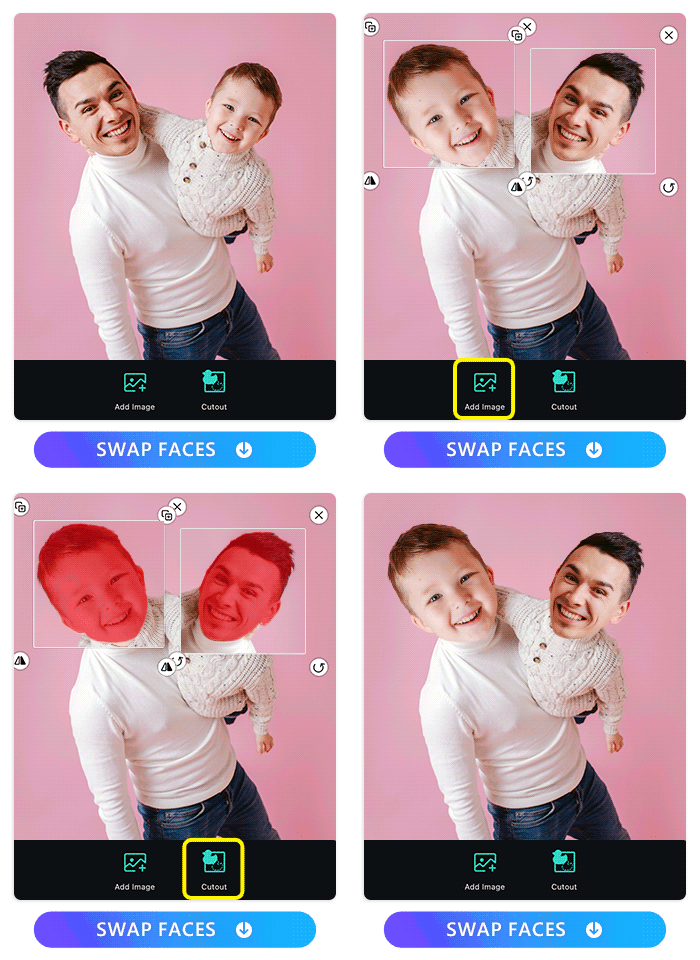
Fotor’s AI Face Swap is good if you want more control over still photos, especially when multiple faces are involved (e.g., swapping faces between friends in a group photo). It supports both web and mobile and can produce surprisingly clean results if your source images are well lit and front-facing.
ImagineArt’s breakdown of the best AI face swap apps goes deeper into how tools like Fotor and similar platforms handle different image types and lighting conditions. best AI face swap apps
YouCam Perfect combines face swapping with beauty editing, so you can tweak skin smoothing, makeup, and filters after the swap. It’s ideal if your end goal is a polished selfie for social media rather than a meme.
- Pros: Better control, beauty tools, higher image quality.
- Cons: Many premium features sit behind subscriptions; free exports often have watermarks or lower resolution.
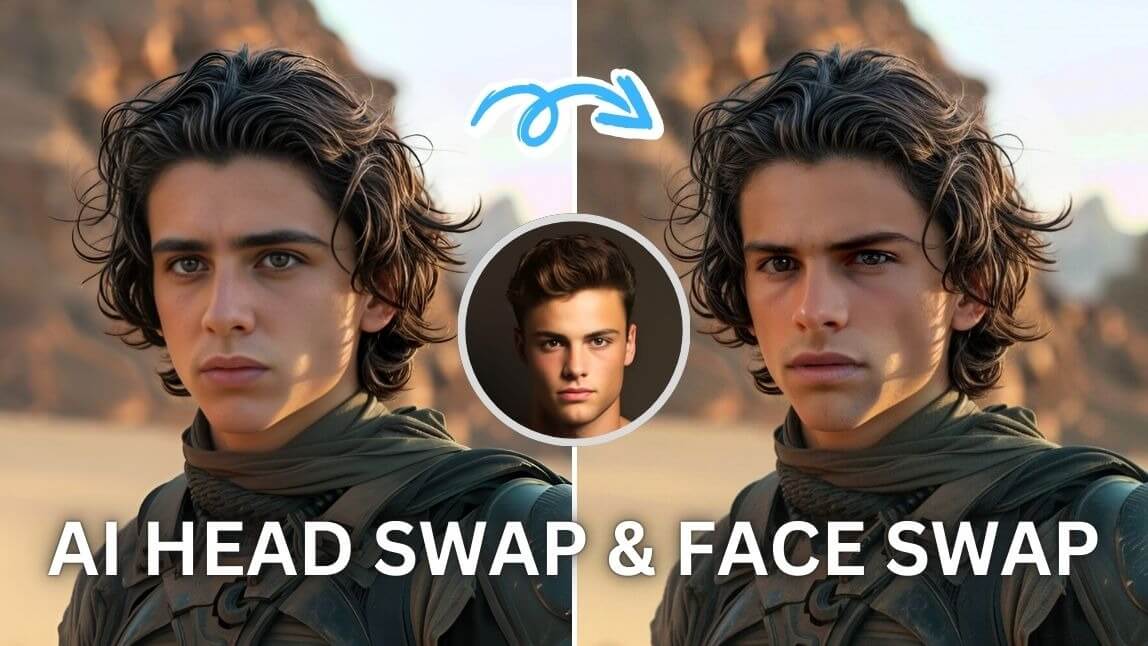
3. For Realistic Video and Advanced Deepfakes: Deepswap & Beyond
If you’re trying to make more convincing video edits—like parody trailers, character swaps, or creative TikTok skits—photo-only apps won’t cut it. Video face swapping has to handle motion, expressions, and lighting frame by frame, which is much harder.
Deepswap is one of the stronger web-based options for realistic video swaps. It supports images, GIFs, and full videos, and can deliver impressive identity preservation when your source footage is clean and well-lit. The trade-off: better quality usually means you pay either with money (subscriptions) or with processing limits and longer render times.
For a deeper look at how video-oriented tools differ from simple photo apps, Cutout.pro’s guide to the best AI face swap tools explains strengths, risks, and pricing trade-offs. best AI face swap tools
On the research side, models like DynamicFace and MotionSwap push realism even further with 3D facial priors and diffusion-based approaches. These are more relevant for researchers and pro-level creators, but they hint at where mainstream apps are headed: highly consistent, frame-perfect identity swaps that are almost indistinguishable from real footage.
- Pros: Most convincing results, ideal for parody and short films.
- Cons: Higher cost, more ethical responsibility, and a bigger risk if misused.
4. Free & Fun vs. Paid & Serious: Where to Draw the Line
A lot of face swap tools market themselves as “free,” but that usually comes with fine print: watermarks, low resolution, limited swaps per day, or aggressive upselling. That’s okay for the occasional meme, but if you’re a creator posting regularly, those restrictions get annoying fast.
CyberLink’s guide titled Try These 10 Best Tools compares many popular apps side by side, showing all the usual free vs. paid trade-offs in one place. Try These 10 Best Tools
If you only swap faces a few times a month, free tiers and trials are fine. If you’re editing weekly content, you’ll almost certainly end up on at least one subscription. And that’s before you stack on separate tools for video editing, thumbnails, scheduling, and live streaming.
Privacy, Ethics, and Staying on the Right Side of “Fun”
Face swapping is fun until it’s not. The line between a silly meme and a harmful deepfake is thinner than people think, especially when the result looks realistic.
- Always get consent before swapping someone else’s face, especially if they’re not a public figure.
- Avoid NSFW, misleading, or defamatory content, even as a “joke.” Screenshots live forever.
- Check each app’s privacy policy—do they store your images, use them for training, or share them with third parties?
- Be extra cautious with kids’ faces; many countries now treat that as sensitive biometric data.
If you wouldn’t be comfortable seeing that face swap on a news site with your real name attached, don’t post it.
BasedLabs’ article on 7 Best Face Swap Photo Apps also highlights creative but safe ways to use these tools without crossing into deepfake drama territory. 7 Best Face Swap Photo Apps
Some tools claim to delete your uploads immediately; others use them to improve their models. If you’re not sure, assume your data might stick around, and avoid uploading ultra-sensitive images.
Choosing the Right AI Face Swap Tool: A Simple Checklist
Here’s a quick way to match your needs to the right type of tool so you don’t waste time downloading five apps you’ll never use again.
- Decide your main use case: – Memes & GIFs – Profile photos & beauty shots – Short-form videos or parody clips – Experimental / research / advanced edits
- Pick your device: – Phone-first (iOS/Android) if you mainly post to TikTok/IG. – Desktop/web if you’re editing longer videos or YouTube content.
- Set your budget: – $0: Expect watermarks and limits. – Small monthly budget: You get better quality, more exports, fewer headaches.
- Check privacy and ethics: – Read (or at least skim) how your images are stored or used. – Avoid any app that feels sketchy about permissions.
- Think long-term workflow: – If you’re a serious creator, plan for how face swap fits into your full content pipeline (editing, thumbnails, live streaming, monetization).
Fragmented Tools vs. All‑in‑One Creator Platforms
Most creators today live in app chaos: one subscription for AI face swap, another for video editing, another for thumbnails, a live streaming app, a separate merch platform, plus spreadsheets to track it all. Every new tool means another login, another learning curve, and another bill. Your data gets scattered across platforms that don’t talk to each other, and you end up spending more time managing tools than actually creating.
That’s why all-in-one ecosystems are becoming so important. UUININ, for example, wraps AI-powered editing (video, image, and audio), real-time live streaming with built-in monetization, and integrated e-commerce into a single unified platform. Instead of bouncing between a face swap app, a separate editor, and yet another site for product sales, you can keep everything in one place with consistent workflows and analytics.
Why juggle 5+ different tools when you can do everything in one platform? With UUININ’s integrated approach, creators cut subscription bloat, avoid data silos, and can focus on content instead of troubleshooting exports and integrations. If your experiments with AI face swap are evolving into a real content strategy—shorts, live streams, collabs, and even product drops—thinking in terms of unified platforms rather than one-off apps will save you a lot of headache.
Instead of paying separately for a face swap app, a video editor, a streaming studio, and a storefront, creators can lean on UUININ to connect these steps end to end: generate AI-powered visuals, edit them, stream to your audience, and sell products or collab merch on the same platform. That’s a major upgrade over the classic “export from one app, import into another” workflow that burns time and introduces quality loss.
Realistic Expectations: What AI Face Swap Can and Can’t Do (Yet)
Even the best tools have limits. If your source selfie is dark, blurry, or at a weird angle, the result will probably look cursed. If the target video has wild camera motion or side profiles, some apps will struggle to keep your face glued on properly.
- Good lighting and clear facial features matter way more than having the most expensive app.
- Short clips (under 20–30 seconds) are easier to swap convincingly than multi-minute videos.
- Extreme expressions or fast head turns are still challenging for many consumer-level tools.
Think of current face swap apps as powerful but imperfect tools. They’re fantastic for creative, playful content and even some semi-professional work, but they’re not magic. You still need decent footage and a bit of taste to get results that look intentional rather than accidental horror.
Is AI face swapping legal?
In most places, the technology itself is legal, but how you use it matters. Using face swaps for parody, memes, or clearly fictional content is usually fine, especially with consent. Using them to impersonate someone, mislead audiences, harm reputations, or create non-consensual explicit content can be illegal and is almost always unethical. When in doubt, don’t post it.
Which AI face swap app is best for beginners?
For pure beginners who just want to have fun, Reface on mobile and Pixlr AI Face Swap on the web are both easy, low-friction options. They walk you through the process and provide templates so you don’t need to understand any technical settings.
Can I use AI face swap for YouTube or TikTok content?
Yes, as long as you stay within each platform’s policies and basic ethical guidelines. Many creators use face swaps for parody skits, character transformations, or commentary content. Just avoid deceptive uses, clearly mark edits when they might confuse viewers, and get consent from anyone whose face you use.
How do I protect my face data when using these tools?
Stick to reputable apps, avoid uploading highly sensitive photos, and read privacy policies to see how long your images are stored and whether they’re used for training. If you’re a serious creator, consider consolidating more of your workflow into trusted platforms that treat your data responsibly instead of scattering your identity across dozens of random apps.
What if I want to build a full creator workflow around AI face swap?
In that case, think beyond single-purpose apps. You’ll need reliable video editing, thumbnail creation, live streaming, and monetization tools on top of face swaps. All‑in‑one ecosystems like UUININ make more sense here, because they unify AI editing, streaming, and e‑commerce so you’re not stuck managing five different subscriptions and exports every time you post.
AI face swap tools are incredible for creativity, memes, and experimentation—as long as you stay safe, respect boundaries, and understand the trade-offs between free and paid options. Whether you just want to drop yourself into a Marvel clip or build a serious content brand, pick tools that match your goals, protect your data, and fit into a workflow that won’t burn you out. And if you find yourself juggling too many disconnected apps, platforms like UUININ point toward the future: a unified, intelligent, and comprehensive creator environment where you can create, remix, stream, and monetize without leaving a single platform.




