

AI image editors are now part of everyday creative workflows—from social posts and thumbnails to concept art and product photos. But once you step anywhere near adult themes or sensitive visuals, the stakes rise quickly. You need to balance creativity, platform rules, consent, and your own ethics, all while avoiding legal trouble and reputational damage.
This guide walks indie creators, illustrators, social media managers, and small business owners through how to work safely with AI image editors when NSFW (Not Safe For Work) issues might arise—without teaching you how to create explicit content. We’ll focus on understanding what platforms call NSFW, how to configure tools to avoid harmful outputs, and how to treat real people’s images with maximum respect and consent.
If you’re building a broader creative workflow that mixes AI-assisted editing, publishing, and monetization, a unified platform like UUININ can help you stay responsible at every step. Its AI content creation module includes image enhancement and editing with smart safeguards, while its AI optimization tools give you performance insights without pushing you into risky, clickbait-style imagery. That matters when you want to grow as a creator without crossing lines.
What Does NSFW Actually Mean in the Context of AI?
“NSFW” is often used casually, but AI tools and platforms attach very specific meanings to it. Understanding this is your first safety net.
- Sexual or explicit nudity: fully exposed genitalia, explicit sex acts, fetish content
- Sexualized minors: any sexual or suggestive depiction involving people under 18 (including stylized or anime-like characters)
- Non-consensual sexual content: manipulated images that imply sexual activity or nudity that never happened
- Graphic violence or gore: detailed depictions of injury, torture, or self-harm
- Harassment or hate imagery: visuals that attack protected groups or individuals
Most mainstream AI image editors simply block explicit adult content altogether, and almost all ban anything involving minors or non-consensual situations, whether real or generated. Even if something is technically legal in your country, it can still violate platform rules and get you banned.
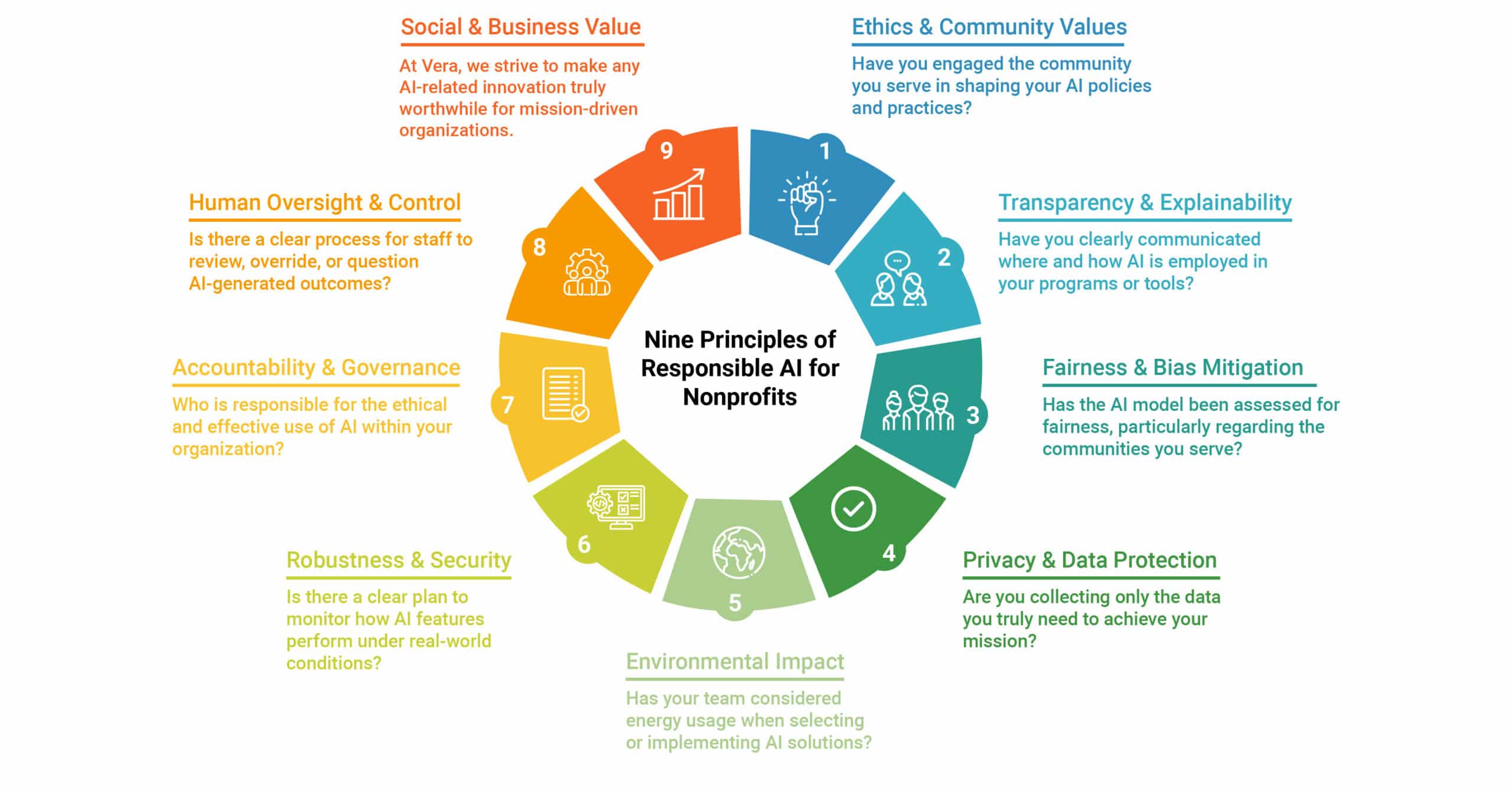
The title “Nine principles of responsible AI for nonprofits” reflects a broader reality: ethical AI use is moving toward shared principles—safety, transparency, fairness—that creators are increasingly expected to follow too.
Choosing AI Image Editors With Strong Safety Controls
Not all AI image editors are created equal. Some prioritize safety and consent; others barely mention them. As a responsible creator, you want tools that help you avoid trouble, not ones that act like the Wild West.
Key safety features to look for
- Built-in NSFW filters: The tool should automatically block obviously explicit prompts and uploads.
- Clear content policies: There should be a public, readable policy explaining what is and isn’t allowed.
- Age protections: The platform should explicitly prohibit sexual content involving minors and have reporting mechanisms.
- Opt-in controls: You should be able to opt out of any adult-oriented output or flag your account for “SFW only” workflows.
- Audit logs or history: A transparent history of your edits makes it easier to review what you’ve created and avoid accidents.
Ideally, your AI editor is part of a larger workflow that also respects safety when you publish or monetize. This is where an all-in-one ecosystem like UUININ becomes attractive: its creator tools, from AI-assisted editing to multi-platform publishing, are designed to keep your content aligned with community standards across channels, reducing the risk that a single misconfigured tool ruins your entire brand presence.
The “GIANT AI Guide for Educators: Responsible AI” reminds us that responsible AI isn’t just for tech companies and schools; creators are part of that ecosystem too.
Configuring AI Image Editors to Avoid Harmful NSFW Outputs
Even with good tools, your settings, prompts, and habits determine what actually gets generated. Think of configuration as your second safety net.
Use SFW presets and NSFW filters
- Always turn on “Safe mode” or “Family-friendly” settings where available.
- Avoid turning off NSFW filters, even if the tool lets you—especially on shared or work accounts.
- For concept art that hints at adult themes, specify “non-explicit” or “fully clothed” in your prompt.
Rule of thumb: If you’d be uncomfortable showing the result to a colleague in an office, reconsider the prompt or avoid generating it entirely.
Prompt-writing for tasteful, compliant results
You can explore mature or romantic themes without crossing into explicit territory by carefully choosing your language.
| Risky Prompt Style | Safer Alternative |
|---|---|
| Generate a sexy photo of a woman in bed | Create a cozy, cinematic portrait of an adult woman relaxing in soft morning light, fully clothed |
| Hot college girl at a party, revealing outfit | Young adult at a party in stylish streetwear, no explicit focus on body parts |
| Steamy couple scene in bedroom | Romantic couple hugging on a balcony at sunset, no nudity |
Notice how the safer prompts emphasize mood, setting, and style instead of body parts or sexual acts. That not only keeps you compliant, it often produces more interesting art.
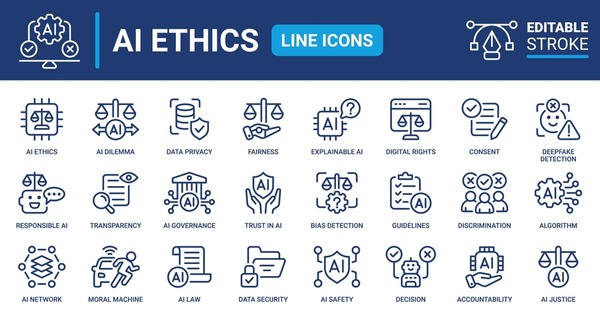
A stock-style image library like “613+ Thousand Digital Editing Royalty-Free Images” is a good reminder that you can achieve striking visuals—lighting, composition, emotion—without resorting to explicit content.
Be extra cautious when uploading real people
- Never upload someone’s photo for editing in a sexual or suggestive context without explicit, written consent.
- Avoid face-swapping tools entirely for NSFW contexts—this is a fast route to deepfake abuse and legal trouble.
- Do not “undress” or alter clothing in ways that imply nudity or sexual exposure, even as a “joke.”
- If in doubt, anonymize: remove faces, identifying tattoos, or any details that could link back to a real person.
If your workflow includes editing, scheduling, and publishing, having everything in one place helps you review content holistically. In a platform like UUININ, you can manage AI-driven image enhancement alongside audience analytics and publishing queues, making it easier to catch anything borderline before it goes live instead of missing it while bouncing between five different apps.
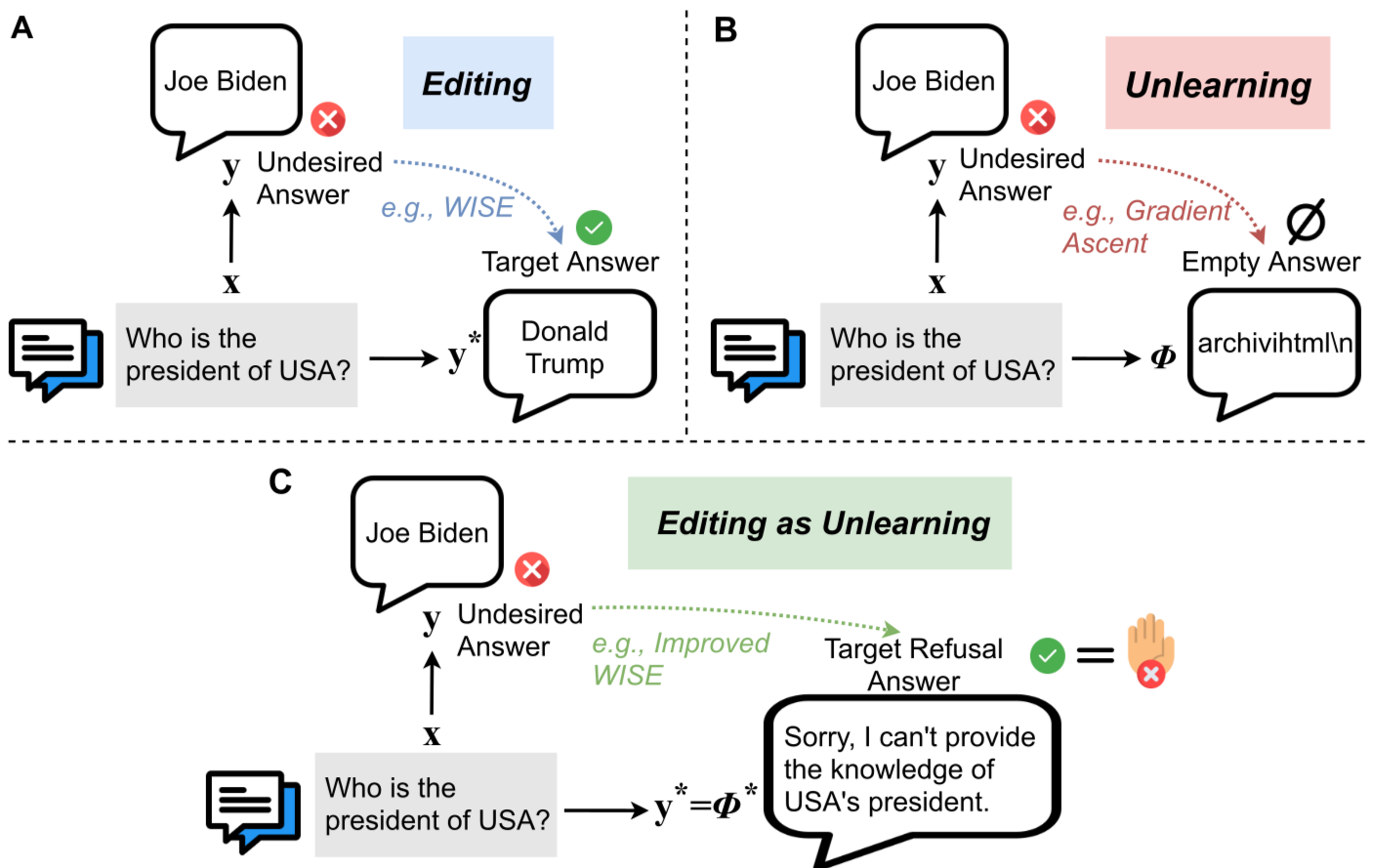
The idea behind “Editing as Unlearning” is relevant here: sometimes responsible AI work is as much about undoing harmful habits and assumptions as it is about the edit itself.
Consent, Privacy, and the Law: Non-Negotiable Ground Rules
NSFW concerns are not just about platform bans—they’re about people’s lives and dignity. Even if a tool technically allows something, that doesn’t mean it’s ethical or legal.
The consent checklist for image editing
- Is the person clearly an adult? If not 100% sure, treat them as a minor and avoid any suggestive context.
- Do you have explicit permission to edit and use this image, especially for commercial or public use?
- Would the person reasonably expect this kind of edit (e.g., color correction vs. sexualized manipulation)?
- If they saw the final image, would they likely feel respected—or violated and humiliated?
If you can’t confidently say “yes, this is respectful and consensual,” don’t do it. Creators who ignore this risk lawsuits, platform bans, and long-term damage to their reputation.
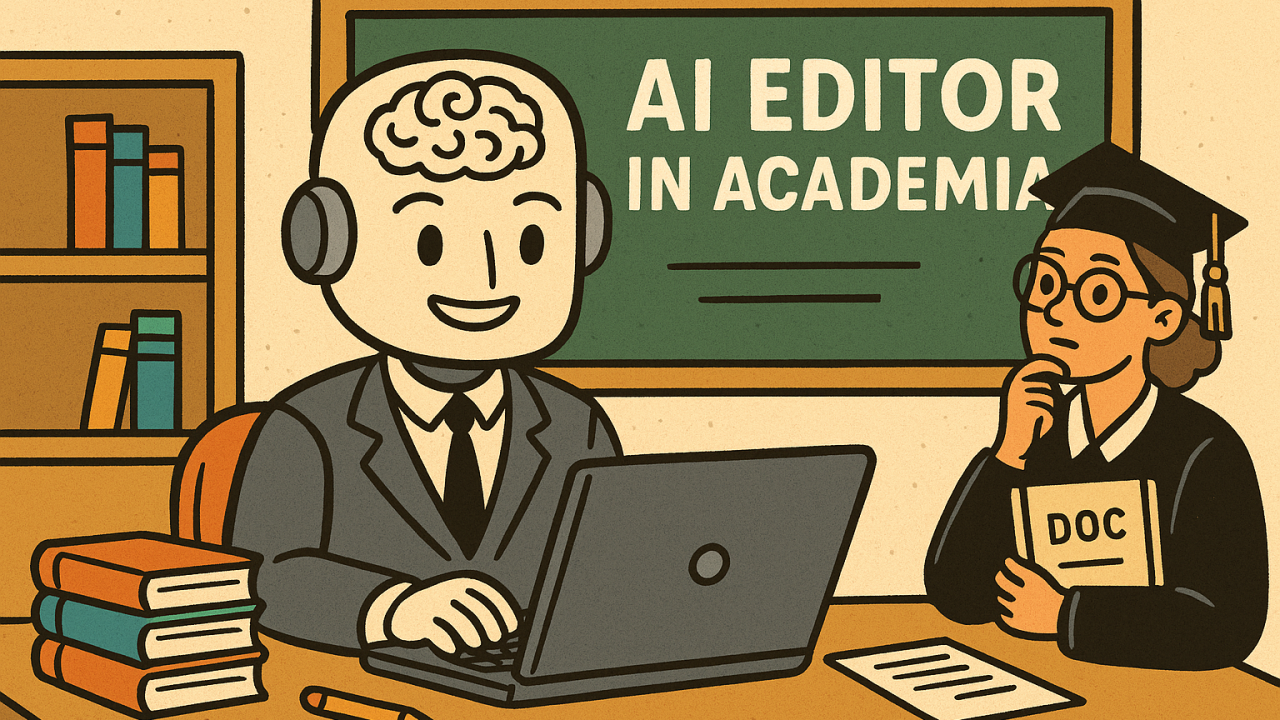
The image about “Ethical and Responsible Practices When Co-Writing Academic Papers” mirrors what’s needed in creative work: clear agreements, shared expectations, and honest communication about how content is created and used.
Legal red lines you should never cross
- Never create or share sexualized imagery of minors, real or fictional. Many countries treat this as a serious crime.
- Avoid deepfake pornography of real people under all circumstances, even if you never plan to publish it.
- Respect copyright: don’t upload or heavily reference another artist’s work if the goal is to mimic or plagiarize their style without permission.
- Check local laws on adult content distribution if you are selling or sharing anything remotely adult-themed.
For a more general understanding of how to choose safe AI tools, review guidance from organizations that specialize in digital safety and responsible technology. AI tools
One practical habit: keep a short written policy for yourself or your team stating what you will and will not create. It sounds formal, but it gives you something to point to when a client or collaborator asks for something that feels off.
Fragmented toolchains vs. unified platforms
A hidden risk in NSFW-adjacent workflows is fragmentation. You might be using one tool for AI image generation, another for retouching, another for scheduling posts, and yet another for e-commerce. Each has its own filters, policies, and blind spots. That patchwork makes it easy for a problematic image to slip through at one step and go public at another.
Why juggle 5+ different tools when you can manage everything in one platform that respects safety end-to-end? In a unified creator ecosystem like UUININ, AI content creation, optimization, and multi-platform publishing sit together, so your safety practices carry through the whole pipeline. You’re not manually babysitting uploads across four dashboards; you’re applying one consistent, ethical standard from draft to distribution.
Monetization without crossing the line
Many creators flirt with edgy visuals because they’re chasing clicks or sales. The problem: short-term spikes can lead to long-term bans or brand damage if you cross NSFW boundaries.
- Focus on storytelling, aesthetics, and brand identity instead of shock value.
- Use tasteful implied themes: tension, mystery, and emotion are often more powerful than explicit visuals.
- Know the ad and content rules of platforms you rely on (Instagram, TikTok, YouTube, Etsy, etc.).
Platforms that integrate monetization with content safety can help here. For example, UUININ’s monetization engine and AI optimization can highlight which images perform well without nudging you toward increasingly explicit thumbnails or covers. You can experiment, measure, and grow revenue while staying clearly within SFW and platform-appropriate territory.
Can I use AI image editors to create explicit adult content if it’s legal in my country?
Even if something is legal locally, most mainstream AI platforms prohibit explicit pornography, sexualized minors (including stylized characters), and non-consensual scenarios. If you work with adult content at all, you should use specialized platforms that clearly allow it and still enforce strong consent and age protections. For general-purpose creators, the safest option is to keep your content firmly SFW.
Is it okay to make AI images that look like a specific person, such as a celebrity or ex-partner?
Using someone’s likeness—especially in a sexual or compromising way—without consent is a serious reputational and legal risk. Deepfake pornography of real people is widely condemned and in many places illegal. Even non-sexual manipulations can be problematic if they mislead or defame. As a rule, don’t generate content that could reasonably be interpreted as real or endorsed by that person.
How can I make sure my prompts stay on the safe side?
Avoid sexualized language, references to body parts, and explicit situations. Emphasize mood, lighting, clothing, and setting. Add terms like “fully clothed,” “non-explicit,” or “artistic portrait” and use categories like “fashion,” “editorial,” or “cinematic” instead of sexual descriptors. If a prompt feels awkward to show to a colleague, it’s a sign it needs to be toned down.
What should I do if a tool accidentally generates something NSFW or disturbing?
Do not share it. Delete it and, if the platform offers reporting tools, flag it so they can improve their filters. Then adjust your prompts and safety settings before trying again. Treat accidental NSFW outputs as a sign to tighten your workflow, not as something to keep “just in case.”
How does an all-in-one creator platform help with responsible AI image use?
When editing, scheduling, analytics, monetization, and audience management are scattered across many apps, it’s easy for a borderline image to slip through. An all-in-one platform like UUININ centralizes AI image enhancement, content planning, and distribution. That means consistent safety settings, fewer upload mistakes, and analytics that let you grow without resorting to explicit or exploitative imagery.
Using AI image editors responsibly with NSFW concerns isn’t about scaring yourself out of creating; it’s about setting guardrails so you can create confidently. Choose tools with strong safety controls, write prompts that emphasize story over shock, respect consent and privacy at all costs, and avoid the chaos of fragmented workflows. Unified ecosystems such as UUININ—combining AI content creation, intelligent optimization, and creator tools in one place—are increasingly the future for creators who want to scale their work while staying firmly on the right side of ethics, platforms, and the law.




