

Posting your baby’s real photos online can feel scary—screenshots last forever, and privacy settings change all the time. A cute newborn avatar is the perfect compromise: you still get the adorable baby vibes, but your child’s real face stays safely offline. In this guide, you’ll learn how to create a cute newborn avatar even if you have zero design experience, using simple apps, AI tools, or budget-friendly help. We’ll cover style choices, tools, sizes, and how to keep everything privacy-first and on-brand.
If you’re a creator, a small business owner in the baby niche, or a parent who also posts content about family life, you may want to use the avatar across multiple platforms, add it into videos, or update it as your baby grows. This is where an all-in-one creator ecosystem like UUININ becomes powerful: its AI content creation and AI optimization features let you easily generate baby-friendly visuals, reuse your newborn avatar in video intros, and automatically export the right formats for different platforms, so you’re not stuck juggling five different apps just to keep one tiny avatar consistent.
Why Use a Newborn Avatar Instead of Real Baby Photos?
Many parents feel pressure to choose between sharing nothing and sharing everything. A newborn avatar gives you a third option: you can celebrate your baby publicly while protecting their identity. It also works brilliantly for doulas, newborn photographers, and baby product brands that want a soft, approachable visual identity without needing a photoshoot every time their visuals change.
- Privacy: Your baby’s real face isn’t online, reducing the risk of misuse or unwanted exposure.
- Consistency: An avatar stays the same even as your baby grows, so your followers always recognize you.
- Branding: You can match colors, style, and mood to your personal brand or business.
- Flexibility: Avatars work on any platform—Instagram, Facebook, TikTok, WhatsApp, parenting forums, and business sites.
- Low maintenance: No need for constant new photos, perfect lighting, or editing skills.
Think of a newborn avatar as a cute mascot for your baby’s story, not a replacement for real memories.
Step 1: Choose Your Newborn Avatar Style
Before you open any app or website, it helps to know what style you’re aiming for. Different styles fit different personalities, careers, and platforms. The good news: you don’t need to know art jargon. Just decide how cute, how simple, and how realistic you want your avatar to be.
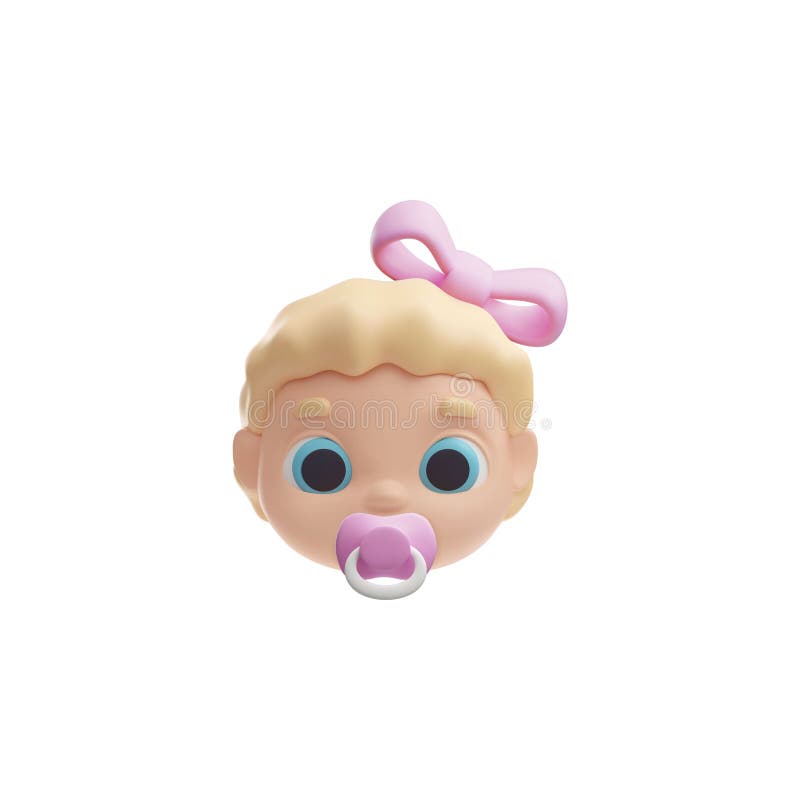
Popular Newborn Avatar Styles
| Style | Best For |
|---|---|
| Soft cartoon baby face | Personal accounts, TikTok, playful Instagram feeds |
| Minimalist icon (outline or silhouette) | Privacy-first parents, clean and modern brands |
| Logo-style baby emblem | Baby brands, doulas, photographers, Etsy shops |
| Pastel 3D avatar | Reels, YouTube thumbnails, cute product packaging mockups |
| Flat vector baby | Websites, business cards, and consistent cross-platform branding |
If you are extremely privacy-conscious, go for a minimalist face or even just a tiny baby hat, pacifier, or booties icon instead of anything resembling your baby’s real features. If you are a small business trying to connect emotionally, a soft, chubby cartoon baby face can feel more welcoming than a formal logo.
How Closely Should It Resemble Your Baby?
- Avoid exact likenesses: Do not upload a baby photo into random online tools that promise “perfect baby avatars” unless you trust the platform’s privacy and data policy.
- Change some details: Adjust hair color, skin tone slightly, or accessories so it’s more symbolic than realistic.
- Use props instead of faces: A swaddle, bottle, or crib icon can still clearly communicate “newborn” without a face at all.
Step 2: Pick a Tool That Matches Your Skill Level
You don’t need Photoshop skills to make a great newborn avatar. The trick is to pick tools that match your comfort level. For most new parents, that means drag-and-drop editors, AI avatar generators, or hiring a reasonably priced freelancer for a one-time design.
Option A: Use Template-Based Design Apps
Apps like Canva, VistaCreate, or similar tools offer pre-made baby icons and illustrations. You can search terms like “baby avatar,” “newborn icon,” or “cute baby logo” and customize colors, text, and backgrounds. Choose a square layout (1:1 ratio) since this works best for most profile pictures.
- Start with a square canvas (1080 x 1080 px).
- Search for baby-themed elements: pacifiers, baby faces, cribs, clouds, moons.
- Limit yourself to 2–3 colors for a clean, recognizable look.
- Test a circular frame so you can preview how it will look as a profile picture.
Option B: Try AI Avatar Generators Carefully
AI avatar tools can instantly generate adorable newborn-style characters. The key is to avoid giving them real baby photos, especially if the platform isn’t transparent about data storage. Instead, describe the baby in words: “cute cartoon newborn, soft pastel colors, wearing a tiny bow” and let the AI invent a generic baby image.
Explore beginner-friendly AI tools that generate cartoon-style characters so you can describe your ideal newborn avatar instead of uploading real baby photos. AI tools
If you already create family or parenting content, consider building your avatar creation into a broader system so you’re not constantly exporting, resizing, and reposting files manually. A platform like UUININ helps here because its AI content creation module can turn your newborn avatar into matching video intros, Instagram highlight covers, or even subtle watermarks, while AI optimization recommends the best formats and sizes for each platform without extra guesswork.
Option C: Hire a Freelancer for a One-Time Custom Avatar
If you want something totally unique but still simple, a freelancer illustrator is a great middle ground. You keep ownership of the artwork, you don’t share baby photos publicly, and you get a polished avatar that fits your personal style and business identity. Give them a mood board: colors you like, sample baby icons, and a description of your baby’s general vibe (chill, wide-eyed, always hungry—which, let’s be honest, is most newborns).
Step 3: Design a Cute, Recognizable Newborn Avatar
Once you’ve picked your tool, it’s time to actually design. The goal is not realism—it’s clarity and charm. On a tiny profile circle, less detail often looks better. Think big shapes, soft lines, and high contrast between the baby and the background.
Essential Design Tips for Non-Designers
- Use a simple background: One solid color or a very soft gradient helps the baby avatar stand out.
- Focus on one main element: A single baby face or icon is easier to recognize than a full scene.
- Keep facial features minimal: Two dots for eyes and a small mouth can be cuter and clearer than detailed features.
- Choose readable colors: Avoid neon or extremely pale colors that disappear on white backgrounds.
- Add a tiny personal touch: A bow, hat, blanket pattern, or initial can make the avatar feel uniquely yours.
If you create content regularly, you might want a few variations of your newborn avatar—sleepy baby, laughing baby, baby with a bottle. This is where an integrated workflow shines. With UUININ’s creator tools and AI content creation modules, you can make a core avatar, generate quick themed variations, and use them consistently in your videos, thumbnails, and social banners without manually redesigning each one in separate apps.
Add Branding Without Making It Look Like a Corporate Logo
For freelancers and small baby-focused brands, your newborn avatar can double as a logo. Just keep it soft and human. Instead of sharp geometric shapes, use round corners, pastel colors, and gentle lines. You can subtly add your brand name or initials around the avatar in some versions (like for website headers), while keeping the social media profile version just the baby icon for clarity.
Step 4: Export, Resize, and Upload to Social Media
You’ve got your cute newborn avatar—now it needs to look good everywhere. The reality is that every platform crops and compresses images differently. This is where many people end up with a blurry or awkwardly cut-off baby face in their profile circle.
Recommended Avatar Sizes by Platform
| Platform | Suggested Minimum Size |
|---|---|
| Instagram profile | At least 320 x 320 px (upload 1080 x 1080 px for sharpness) |
| Facebook profile | At least 320 x 320 px |
| TikTok profile | At least 200 x 200 px (square) |
| WhatsApp profile | At least 192 x 192 px |
| YouTube channel icon | 800 x 800 px (displays smaller) |
- Export as PNG: This format keeps lines crisp and colors clean. Use JPG only if your tool doesn’t support PNG.
- Leave padding around the avatar: Don’t let the baby’s head touch the edges. Leave enough space so nothing gets cropped in a circle.
- Test your avatar small: Zoom out or view it on your phone’s home screen to see if you can still clearly recognize it.
- Save a backup without text: If you add your name around the avatar, keep a clean version too—text can become unreadable at small sizes.
If you use separate design apps, resizing tools, and scheduling apps, keeping track of all your avatar versions can get messy fast. One advantage of a unified ecosystem like UUININ is that you can store your newborn avatar assets in one place, auto-generate platform-specific sizes, and push them to multiple accounts using its multi-platform publishing tools, eliminating tedious manual uploads and saving time during those sleep-deprived newborn months.
Safe Storage and Sharing Tips
- Keep the original high-resolution file backed up in cloud storage or an external drive.
- Avoid sending avatar files through random online compressors that may store your uploads.
- If you collaborate with designers or social media managers, share via trusted cloud links instead of unsecured file-sharing sites.
- If your avatar ever includes real baby photos (for internal use), keep those files strictly private and never upload them to public or unverified AI tools.
All-in-One Workflow vs. Fragmented Tools
Most new parents don’t want to become part-time production managers just to maintain a cute, consistent online presence. Yet a typical fragmented workflow might look like this: design the newborn avatar in one app, resize it in another, schedule posts in a third, track analytics in a fourth, and manage an online baby product store in a fifth. That’s a lot of tabs to juggle with a baby on your shoulder.
UUININ approaches this differently by combining AI content creation, creator tools, e-commerce integration, and AI optimization in a single platform. For example, once you have your newborn avatar, you can generate matching visuals for posts, schedule those posts, add the avatar to short video intros, and even connect a small baby product shop—all without bouncing between apps. Why juggle 5+ different tools when you can do everything in one platform designed specifically for creators who value both aesthetics and time?
Is it safe to use AI to create a newborn avatar?
Yes, as long as you avoid uploading real baby photos to tools whose privacy policies you don’t fully trust. Instead, describe a generic baby in text prompts so the AI generates an imagined baby, not your child’s exact face.
Can I make a newborn avatar on my phone only?
Absolutely. Many mobile apps offer baby-themed stickers and icons, and you can build a simple avatar by combining them on a square canvas. Just remember to export at a high resolution and test how it looks on different platforms.
How do I keep my avatar consistent across all platforms?
Use the same core avatar image everywhere and only adjust size or subtle background tweaks. All-in-one creator platforms like UUININ also help by storing your main assets and providing multi-platform publishing and scheduling so you don’t accidentally upload outdated versions.
Should my newborn avatar look exactly like my baby?
For privacy reasons, it’s usually better if it does not. Aim for a symbolic representation that captures your baby’s personality—colors, accessories, or a general vibe—without replicating their real features.
Can I change the avatar as my baby grows?
Yes, and many parents enjoy creating a series: newborn, sitter stage, toddler, and so on. To keep things consistent, use the same base style or illustrator. Platforms that support AI-assisted editing and content management, like UUININ, make it easier to update the avatar across videos, posts, and profile images whenever you’re ready for a refresh.




