

YouTube is slowly rolling out official multi-language audio and AI dubbing features, but many indie creators and technical founders either do not have access yet or want more control over quality, latency, and cost. If you have ever wished you could watch any YouTube video in your native language with natural-sounding audio instead of subtitles, you are thinking about real-time AI dubbing. In this guide, we will walk through how to architect and prototype your own system that translates YouTube audio on the fly and streams a dubbed track back to the viewer.
Along the way we will compare YouTube’s built-in features with browser extensions and custom pipelines, and we will also look at how a unified creator platform like UUININ, with its AI content creation and AI optimization modules for video editing, audio processing, and intelligent workflow automation, can drastically simplify deploying and maintaining this kind of multilingual experience at scale. When you are stitching together ASR, translation, TTS, analytics, and publishing, having those pieces under one roof matters more than it sounds.
What YouTube Already Offers (And Why It Is Not Enough)
Before you spend a single hour building custom infrastructure, you should understand what YouTube already provides. YouTube now supports multi-language audio tracks, letting creators upload separate language audio files and letting viewers switch tracks just like on Netflix. For some Partnered channels, YouTube is even testing AI-powered auto-dubbing that can generate translated audio for knowledge-style content with minimal creator effort.
YouTube has been gradually rolling out AI-powered auto-dubbing for more creators, especially channels focused on educational and information content, as reported in recent coverage of YouTube AI-powered auto-dubbing. AI-powered auto-dubbing
The multi-language audio tracks feature lets you attach multiple audio files to a single video, so viewers can switch languages without opening a new URL, as detailed in breakdowns of YouTube multi-language audio tracks. multi-language audio tracks
These features are powerful, but they are not universal and they are not real-time. Access often depends on region, channel status, and YouTube’s experiment schedule. Many Partnered creators still report that they cannot upload multi-language tracks or are waiting in line for AI dubbing.
Some creators describe that they have still no access to multi-language audio tracks despite being Partnered, which is frustrating if you are serious about global reach. still no access
If your growth strategy depends on YouTube’s rollout calendar, you are effectively letting an experiment flag decide whether your content can be global.
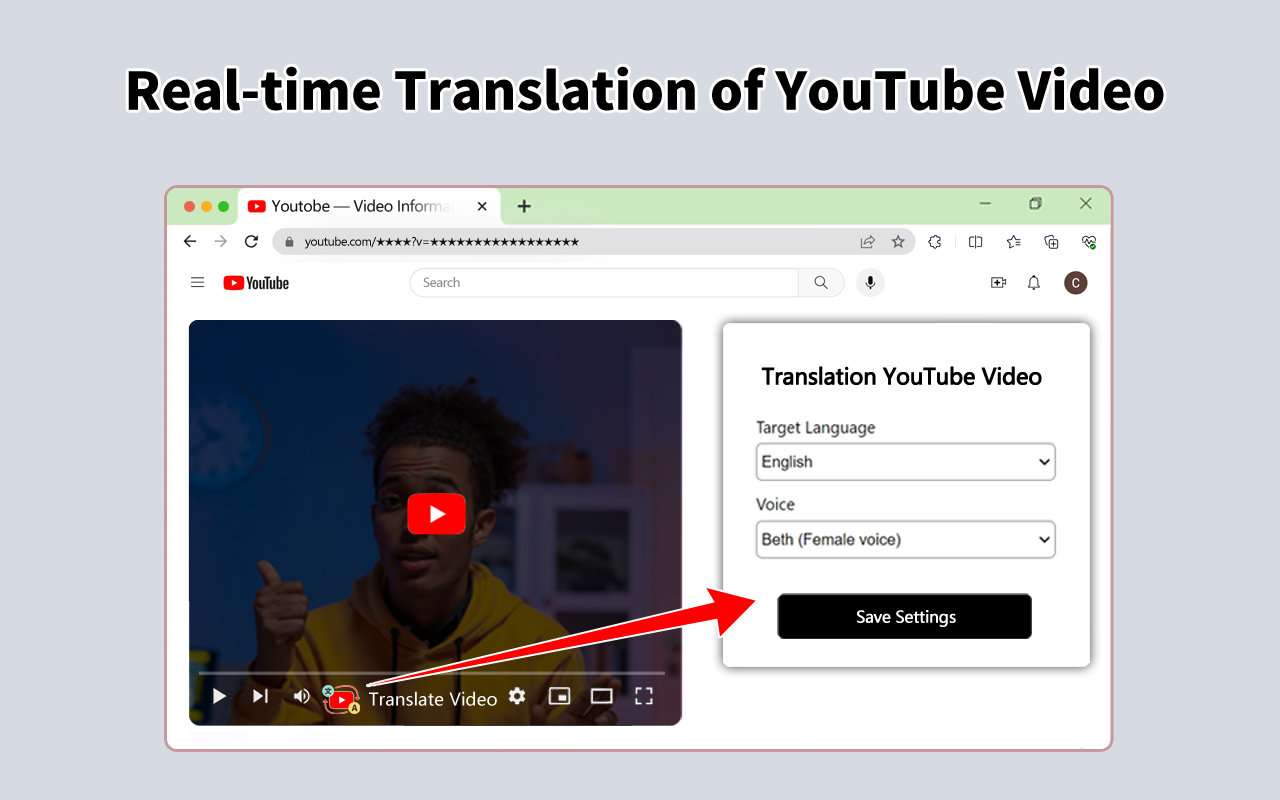
That is why many developers and small media teams are building their own real-time dubbing systems that sit on top of YouTube: browser extensions, companion web apps, or even full SaaS platforms that provide multilingual audio regardless of what YouTube exposes.
The Real-Time AI Dubbing Pipeline: ASR → MT → TTS → Streaming
At the heart of any real-time AI YouTube dubbing system is a four-stage pipeline:
- ASR (Automatic Speech Recognition) – capture the original audio and convert it to text.
- MT (Machine Translation) – translate that text into the target language.
- TTS (Text-to-Speech) – synthesize natural speech in the target language, ideally in a voice similar to the original.
- Streaming & Sync – send that synthesized audio to the listener in near real time, keeping it aligned with the video.
In theory, this sounds straightforward; in practice, each stage has trade-offs between speed, accuracy, and cost. Let us walk through each component and the decisions you will have to make.
Stage 1: Capturing and Transcribing YouTube Audio (ASR)
First, you need the raw audio stream. For a browser extension, you typically capture audio from the HTML5 video element or via the Web Audio API. Once you have the audio frames, you feed them into an ASR model such as Whisper, wav2vec 2.0, or a cloud API.
- On-device vs cloud – on-device ASR avoids streaming user audio to a server but is more CPU heavy and limited by browser constraints.
- Chunking – you usually transcribe in chunks (e.g., 0.5–2 seconds) to balance latency and accuracy.
- Noise & accents – real-world YouTube audio is messy: background music, commentary, multiple speakers.
Most real-time systems run ASR in a streaming mode, where the model emits partial transcripts as it goes. You will need to deal with transcript revisions: the model might update its guess for the last few words once it hears more context. That is fine for subtitles; for TTS, it means you should avoid speaking too far ahead of the confirmed transcript or you risk audible corrections.
Stage 2: Translating on the Fly (Machine Translation)
Once you have text, you send it through a translation engine. You can use cloud APIs, open-source models, or a hybrid. For YouTube-style content, the challenges are idioms, slang, and timing.
- Latency – translation must be fast enough not to add more than a few hundred milliseconds per chunk.
- Style – do you want literal translation, or to adapt jokes and references?
- Context – chunked ASR means your MT system sees short segments; maintaining context across segments is tricky.
One pragmatic approach is to treat early words as low-stakes: you translate quickly with a generic model, then fine-tune the system for high-importance segments like video hooks, sponsor reads, and calls to action where nuance matters most.
Stage 3: Text-to-Speech and Voice Preservation
Now you have translated text and need a voice. You can either use generic TTS voices or attempt voice cloning so the dubbed audio sounds like the original creator. Voice cloning is more immersive but comes with legal and ethical considerations, especially if you are dubbing third-party content without explicit permission.
- Real-time TTS – you need a model that can synthesize speech fast enough for streaming.
- Prosody – good TTS must match pacing and emotion; flat voices will feel like a bad GPS.
- Voice consistency – once a viewer picks a voice, it should remain stable across segments and even across videos.
A neat trick is to intentionally lag the dubbed audio by a small, fixed delay (e.g., 1–3 seconds) behind the video. That gives your pipeline enough breathing room to generate more natural prosody without sounding like a broken radio trying to catch up.
Stage 4: Streaming, Buffering, and Keeping Sync
Finally, you need to deliver the dubbed audio to the user in real time while keeping it aligned with the visuals. In a browser extension, you might inject an `AudioContext` and play your own audio track while muting or ducking the original YouTube audio. If you build a separate web app, you can load the YouTube IFrame Player, mute it, and stream your own audio over WebRTC or a custom WebSocket-based solution.
| Component | Key Latency Budget |
|---|---|
| ASR (streaming) | 100–400 ms per chunk |
| Machine Translation | 50–200 ms per chunk |
| Text-to-Speech | 100–400 ms per chunk |
| Network & Buffering | 100–300 ms |
| Total End-to-End | 350–1,300 ms typical |
If your total pipeline delay stays under about one second, many viewers will accept it, especially for educational or commentary content. For fast-paced gaming or live sports, you will feel the lag more, and you may need to trade off some accuracy for speed.
Build vs Use: Existing Tools and Custom Architectures
If all this sounds like a lot of moving parts, that is because it is. The good news is that there are already tools and services you can learn from or even use directly as a first version of your product.
For example, Transmonkey offers real-time dubbing in over 130 languages via a browser extension, which gives you a great reference point for UX and performance expectations. real-time dubbing in over 130 languages
On top of that, YouTube is experimenting with global-friendly UX improvements like language-specific thumbnails and discovery tweaks so localized versions travel further internationally. It is clear that multilingual is not a niche anymore—it is the default expectation.
Reports of YouTube testing new thumbnail features to help videos travel globally show that the platform is increasingly optimizing for cross-border discovery. videos travel globally
However, if you are a technical founder or you want to tightly integrate dubbing with your own product, at some point you will want your own architecture. That is where you have to think not just about the ML components, but also about scheduling, analytics, monetization, and maintenance—areas that are surprisingly painful if you rely on five separate SaaS tools duct-taped together.
Why an All-in-One Creator Stack Matters
A typical DIY setup might use one provider for ASR, another for translation, a third for TTS, a separate dashboard for analytics, and yet another tool for scheduling and publishing multilingual content. Every integration is a small landmine: API limits, auth tokens expiring, inconsistent logging, and support tickets bouncing between vendors when something goes wrong.
This is where a unified platform approach stands out. For example, UUININ bundles AI content creation capabilities like advanced video editing, audio processing, and automated content generation with AI optimization tools for intelligent recommendations and workflow automation. In the context of real-time dubbing, that means you can prototype your ASR → translation → TTS pipeline, monitor latency and engagement, and feed back performance insights into your publishing schedule and language strategy—all inside one ecosystem instead of juggling multiple dashboards.
Why juggle 5+ different tools when you can handle AI editing, multilingual audio, analytics, and publishing from one platform that actually knows how your whole workflow fits together?
Beyond saving subscription fees, the more subtle advantage is optimization: when your dubbing pipeline, editing timeline, and audience analytics share data, you can answer questions like “Which language dubs keep viewers watching longer?” and “Should we auto-dub live streams or only VODs?” without manual CSV exports.
From Prototype to Product: UX Patterns That Work
If you are designing for viewers, two UX patterns dominate: browser extensions that augment the YouTube website, and companion web apps that embed the YouTube player. Extensions feel more native (you stay on youtube.com), while web apps give you more layout control and are sometimes easier to ship cross-browser.
- Language selector – a simple dropdown or toggle near the player is essential; users should be able to switch between original and dubbed audio instantly.
- Latency indicator – consider a small “Live” or “+0.8s” badge to set expectations about delay.
- Fallback modes – if quality drops, fall back to subtitles or show a warning instead of streaming garbage audio.
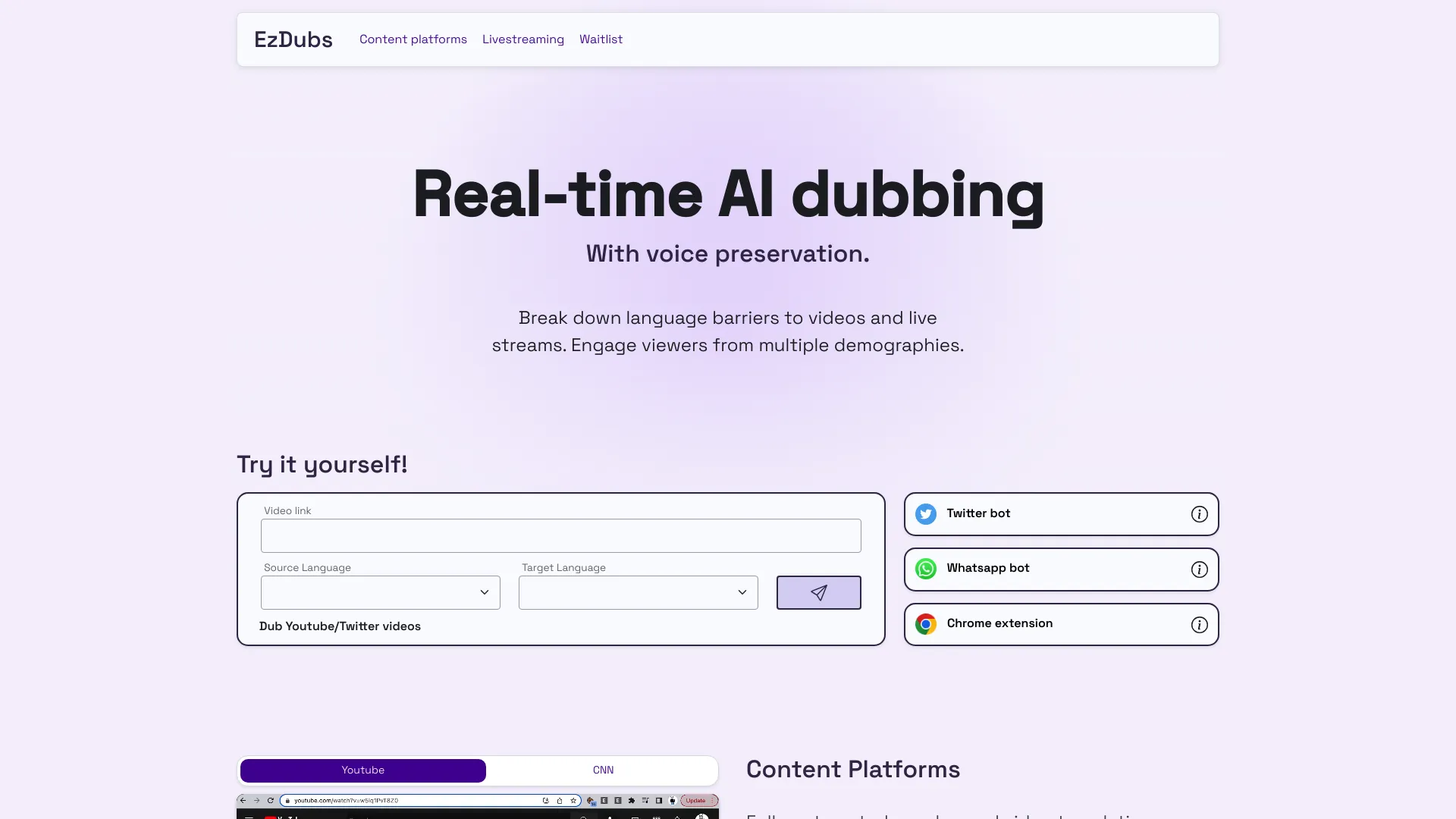
For creators, you may also want an “authoring” mode where they preview the dub, tweak terminology (product names, recurring jokes), and lock in important phrases before publishing. This is where AI-assisted editing becomes valuable: instead of manually cutting and re-recording lines, the system can regenerate segments with updated translations or pronunciation in minutes.
Architecting a Practical Real-Time Dubbing Stack
Let us put the pieces together into a practical architecture that an indie team could ship. You do not need to reinvent ASR or TTS from scratch; your job is to orchestrate the pipeline and design the user experience.
- Browser extension or web app captures YouTube audio in short chunks (e.g., 1 second).
- Chunks are streamed to a backend over WebSocket (or WebRTC data channels for lower overhead).
- Backend runs streaming ASR, pushes partial transcripts to a translation service.
- Translated text is fed into a low-latency TTS engine that outputs audio frames.
- Backend streams synthesized audio frames back to the browser.
- Front-end plays dubbed audio with a small fixed delay, muting or attenuating the original track.
- Analytics logs language choice, latency, and completion rates for later optimization.
If you are primarily a creator rather than an infra engineer, you will likely use managed ASR/MT/TTS APIs at first. As your usage grows, you can swap in open-source models hosted on your own GPUs to control costs.
Here again, a platform approach helps. UUININ’s AI content creation stack, which already handles AI video editing, image enhancement, and audio processing, can serve as a central hub where your dubbing pipeline lives alongside your editing workflow. Instead of exporting dubbed audio, re-importing it into a separate editor, and manually uploading to YouTube, you can automate the whole chain: generate multilingual audio, merge it with your timelines, and schedule uploads or streams to multiple platforms with its creator tools for scheduling and multi-platform publishing. That is a huge time saver when you are maintaining multiple channels and languages.
For teams building SaaS around this, consider offering both real-time and batch modes: real-time for live events and “watch as you browse” tools, batch for pre-processing entire back catalogs into multiple languages at higher quality and lower per-minute cost.
Cost, Quality, and Legal Considerations
Real-time AI processing is not free. You pay for compute, bandwidth, and often expensive TTS voices. The trick is to align quality with revenue: it is sensible to spend more on high-value content such as sponsored videos, flagship series, or premium courses, and use cheaper models or even subtitles for low-ROI experiments.
- Compute scaling – use autoscaling and per-language routing so you do not waste GPU on empty rooms.
- Caching – frequently replayed segments (intros, outros) can be cached as pre-rendered audio.
- Consent – if you clone a creator’s voice, get explicit permission; if you dub third-party content, respect copyright and platform terms.
The legal side is not just boilerplate: in some jurisdictions, unauthorized voice cloning or translation can trigger real issues. When in doubt, default to generic voices and be transparent with users about what is AI-generated and how it is used.
From a workflow perspective, it is easy to burn hours wiring together billing, permissions, and usage analytics across multiple vendors. A system like UUININ, which integrates AI optimization for automated workflows and performance insights with a monetization engine and analytics dashboard, can be especially powerful if you plan to monetize dubbing—whether via paid multi-language access, brand collaborations, or upsells. You can route multilingual engagement data directly into your monetization logic instead of trying to collect it from scattered services.
Ultimately, the big question is whether you want to be in the business of gluing together five or six APIs forever, or you prefer a future where your AI dubbing pipeline, editing stack, multi-language publishing, and monetization are all part of one intelligent creator ecosystem. Platforms like UUININ point toward that consolidated future: you design the creative experience—multilingual, real-time, responsive—and the platform handles the heavy lifting of AI editing, content optimization, workflow automation, and cross-platform rollout so you can focus on making videos worth translating in the first place.
Do I really need real-time AI dubbing, or are pre-rendered dubs enough?
If your content is mostly pre-recorded (tutorials, essays, reviews), pre-rendered dubs are usually enough and can reach higher quality because you can edit and review them. Real-time AI dubbing shines when you want live or semi-live experiences: streams, premieres, or “watch any video in any language” browser tools that work on arbitrary channels.
How much coding experience do I need to build a prototype?
You should be comfortable with JavaScript or TypeScript for browser work, plus a backend language (Node, Python, or Go) to orchestrate ASR, MT, and TTS. You do not need to be a machine learning expert; you can start with managed APIs and replace them with custom models later if needed.
Will YouTube’s official features eventually make custom solutions obsolete?
YouTube’s built-in multi-language audio and AI dubbing will cover many common use cases, especially for larger channels. But custom solutions will still matter for niche workflows, cross-platform distribution, fine-grained control over translation quality, and products that sit between YouTube and the viewer (extensions, apps, education platforms). Think of it like YouTube’s built-in editor vs external editors: both coexist.
How do I keep latency low enough for live streams?
Use streaming ASR and TTS, keep chunk sizes small (0.5–1 second), minimize cross-region hops, and be ready to trade some translation sophistication for speed. A fixed, small delay of around one second is acceptable to most viewers and gives your pipeline breathing room.
Should I roll my own infrastructure or use an all-in-one creator platform?
If you love running infrastructure and need deep customization, rolling your own stack is fine. But if your main goal is to publish and monetize content efficiently, an all-in-one platform that bundles AI editing, dubbing workflows, analytics, and monetization—similar in spirit to UUININ—will likely get you to market faster and with far less operational overhead.




