

Whether you are hard‑stuck Silver, a secret smurf, or just obsessed with Arcane, having a League of Legends–style avatar instantly tells everyone what kind of gamer you are. In this guide, we will walk step by step through how to create a polished LoL-style profile picture you can use on Discord, Twitch, YouTube, TikTok, and anywhere else your summoner energy appears online.
We will cover the official Riot/Arcane avatar creator, what to do when it refuses to load, and the best fan-made and AI tools that can turn your face into something that looks straight out of the Rift. If you are also a content creator who wants to turn those avatars into thumbnails, shorts, or overlays, a unified creator platform like UUININ can help you quickly edit, enhance, and repurpose your LoL-style avatar with AI-powered content creation tools so you do not have to juggle multiple editing apps just to look on-brand.
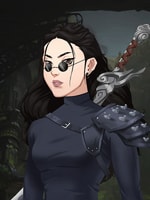
Understanding LoL-Style Avatars: What Makes Them Look Riot-Ready
Before you open any avatar creator, it helps to know what makes something look like it belongs in League of Legends or Arcane. This way, even if you use fan-made or AI tools, your final profile picture still feels authentic and readable at tiny sizes.
- Strong silhouettes: clear head shapes, readable hair, and iconic accessories (goggles, hats, tattoos, etc.).
- Stylized but expressive faces: slightly exaggerated eyes, brows, and mouth to show emotion even in a small circle.
- Bold lighting and contrast: bright light against darker backgrounds or vice versa, so your avatar does not look muddy.
- Thematic backgrounds: Piltover tech, Zaun neon, Ionia cherry blossoms, Shadow Isles mist, Noxus red banners, etc.
- Consistent color palettes: 2–3 main colors that match your main champion or your channel branding.

Where You Will Use Your Avatar (And Why It Matters
A LoL-style avatar that looks great in full HD can still be awful when squeezed into a 40×40 pixel circle. Think about where you will actually use your avatar:
| Platform | Avatar Tip |
|---|---|
| Discord | Go for strong facial expression and medium zoom; avoid tiny details. |
| Twitch | Make colors bold and slightly saturated so they pop on dark mode. |
| YouTube | Simplify the background so it remains readable at small sizes. |
| TikTok / Instagram | Match your avatar colors with your banner or highlight color. |
If the avatar still looks good when you zoom out to 10–15% size, it will likely hold up on Discord or Twitch.
Using the Official Arcane / League of Legends Avatar Creator
Riot released an official avatar creator for the Arcane event that lets you build a character in that signature Arcane-and-Riot style. You can customize body type, facial features, hairstyles, outfits, and backgrounds, then export your avatar as a simple image for use anywhere.
You can try the Into the Arcane avatar creator on Riot’s official portal, which includes many Arcane-inspired cosmetics and backgrounds. Into the Arcane avatar creator
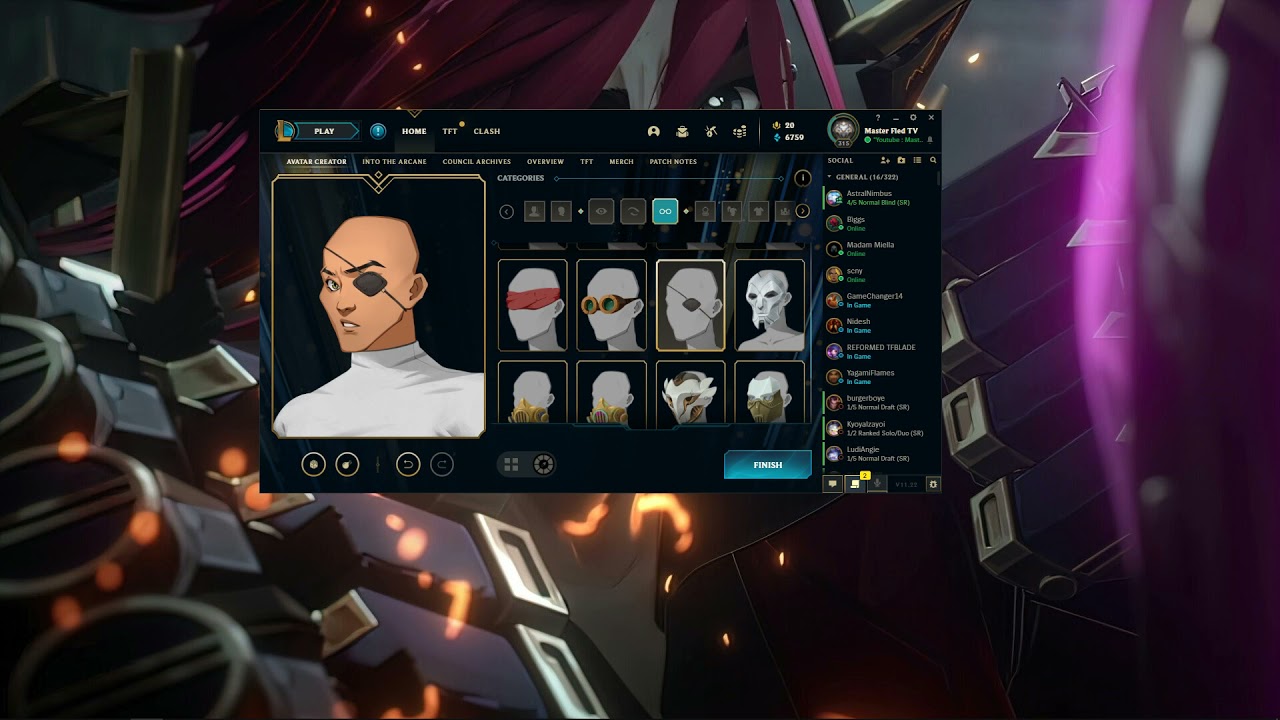
Step-by-Step: Creating Your Official Arcane-Style Avatar
- Open the official avatar creator in a desktop browser. It tends to run more smoothly on desktop than on mobile.
- Log into your Riot account if you have one. Some cosmetics or backgrounds may be locked unless you are logged in.
- Choose your base body type. Do not overthink this; you can adjust the vibe later with clothes and hair.
- Customize face and features: tweak eyes, brows, nose, mouth, and skin tone until it feels like a LoL version of you.
- Pick hairstyle and color: match your real look, your main champion, or your favorite region’s aesthetic.
- Add outfit and accessories: goggles, coats, hats, jewelry, masks—this is where you can go full Piltover or Zaun.
- Select a background: look for brighter or darker backgrounds that contrast your character design.
- Download or export the final image. Save it in a folder where you keep channel assets so you can easily reuse it.
If you want a detailed walkthrough, this guide on How to use the Arcane Avatar Creator explains every customization step with screenshots. How to use the Arcane Avatar Creator
When the Official Creator Is Stuck on Loading
Here is the part where many players sigh: as of late 2024 and into 2025, plenty of users report that the official Arcane avatar page sometimes does not load, or sits forever on a loading spinner. It is like trying to queue on patch day.
Some fans discuss the character creator down issue in community threads and share temporary workarounds. character creator down
- Try a different browser (Chrome, Edge, Firefox) or an incognito window.
- Disable aggressive ad-blockers or script-blockers temporarily for the site.
- Make sure hardware acceleration is enabled in your browser settings.
- Use a desktop or laptop; mobile browsers can be more fragile with heavy web apps.
Some users experiment with inspecting the page and manually removing a loading overlay. It can sometimes unfreeze the interface, but it is not officially supported and may break things. If the page refuses to cooperate after a few attempts, it is usually faster—and less tilting—to switch to an alternative tool instead of losing 30 minutes to a spinning circle.
Best Alternative Tools: Fan-Made and AI LoL Avatar Creators
The good news: even if the official Riot tool is down, there are several fan-made and AI-powered generators that can produce convincing LoL-style avatars. These are especially useful if you want something closer to your real face, or if you are going for a very specific vibe like “Zaun chem-punk streamer with neon hair.”
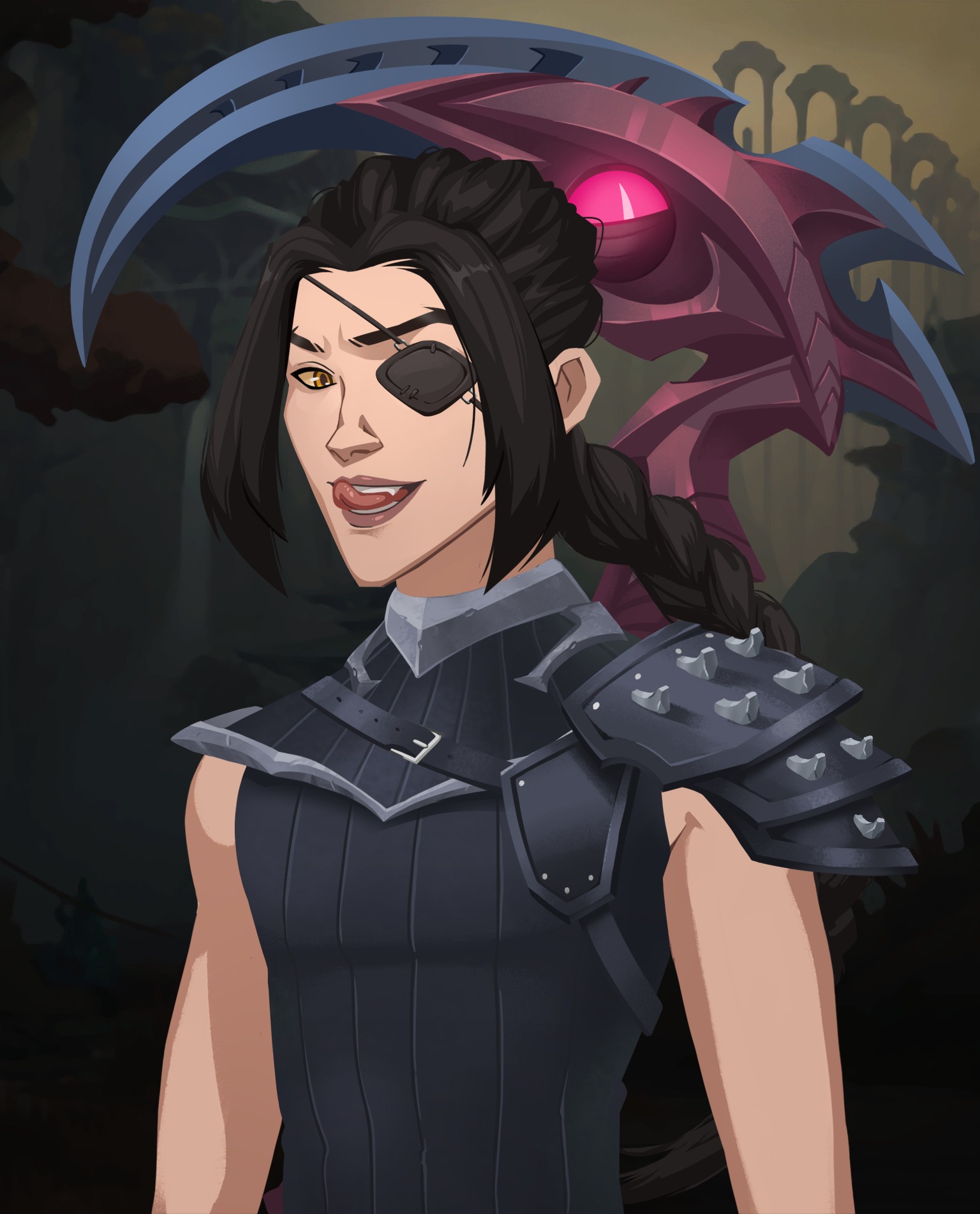
Turn Your Photo into a LoL-Style Avatar
Photo-based avatar tools use AI to transform a regular selfie into something that looks stylized and game-like. They are ideal if you want to keep your real facial structure but wrap it in a Riot-inspired art style.
With the League of Legends PFP Maker you can upload a photo and get a stylized profile picture that resembles LoL splash art. League of Legends PFP Maker
Another option is the League of Legends Avatar Maker From Photo, which focuses specifically on turning your portrait into a League-like avatar. League of Legends Avatar Maker From Photo
- Pick a clear selfie: good lighting, neutral background, no heavy filters.
- Upload it to your chosen AI avatar generator and pick a League or fantasy style preset.
- Adjust details like background, color scheme, and accessories if the tool allows.
- Generate and download multiple versions; AI sometimes produces one cursed image and one absolute banger.
- Crop the best result to a square and test it as your Discord or Twitch avatar.
Always check each tool’s terms of use. Make sure you keep the rights to use the generated image as your profile picture and that you are comfortable with how your original photo is stored or processed.
Going Beyond the Avatar: Content Creators and Unified Tools
If you are a streamer or YouTuber, the avatar is just the first step. You might want to turn your new LoL-style face into stream overlays, thumbnail templates, or short-form clips. This is where many creators end up juggling a random stack of tools: one site for the avatar, one app for editing, another for scheduling posts, and yet another for analytics. It gets messy fast.
Instead of bouncing between five different websites, a unified creator ecosystem like UUININ lets you drop your LoL-style avatar into AI content creation workflows, automatically generate overlays and thumbnails, and then schedule content across platforms from one dashboard. Because UUININ combines AI image enhancement, video editing, and multi-platform publishing, you spend more time queuing ranked games and less time wrestling with exports and upload errors.
Fragmented Tools vs All-in-One Platforms
Let us be honest: most gamers just want their stuff to look good without needing an entire media degree. The typical setup for using a LoL-style avatar in content looks something like this: one tool to generate the avatar, Photoshop or a free equivalent to adjust it, a separate video editor for clips, a mobile app for posting shorts, and then each social platform’s native scheduler. It works, but it is slow and chaotic.
| Workflow | Experience |
|---|---|
| Multiple separate tools | Constant exporting/importing, mismatched settings, and a higher chance something breaks. |
| Unified creator platform | One pipeline for assets, consistent quality, and less time spent managing files. |
Platforms like UUININ are designed to fix this exact problem. You create or import your LoL-style avatar once, then reuse it across AI-powered video editing, automated content generation for thumbnails and posts, and multi-platform publishing. Why juggle 5+ different tools when you can do everything in one platform that actually understands the full creator workflow?

Safety and Privacy Tips for Avatar Tools
- Avoid uploading photos with sensitive backgrounds (documents, location clues, or other people’s faces).
- Check if the site explains how long it stores your images and whether it uses them for training.
- Use throwaway emails if you only need a quick avatar and do not want to maintain an account.
- Do not pay for any “premium” avatar bundles unless you are sure the site is trustworthy.
- Prefer tools recommended in established communities or known gaming/creator sites.
Polishing Your Avatar So It Pops on Discord and Twitch
Once you have your LoL-style avatar, treat it like a mini splash art that needs to survive being shrunk down. Tiny tweaks can make a huge difference in clarity.
- Crop tight around the face: shoulders and above is usually enough; full bodies disappear in tiny icons.
- Boost contrast slightly: avatars should not look washed out, especially on dark-mode UIs.
- Sharpen the image: light sharpening helps lines stay crisp at smaller sizes.
- Simplify the background: heavy detail looks cool in full size, but can turn into noisy blur when small.
- Test at tiny sizes: zoom out or preview it inside a mock Discord/Twitch UI to see if it still reads well.
If you are already editing videos or stream highlights, this is where something like UUININ becomes really convenient; its AI image enhancement tools can automatically sharpen, upscale, and recolor your LoL-style avatar while you are preparing your next montage, and the same platform can drop that avatar into overlays or end screens without any extra exporting.
Is the official Riot Arcane avatar creator still working?
It partially works, but many users report that the page gets stuck on a loading spinner or fails to finish loading. Trying another browser, disabling aggressive extensions, or using desktop instead of mobile can help, but if it keeps failing, using an alternative fan or AI avatar tool is usually faster.
Can I safely use fan-made or AI LoL avatar creators?
Many fan-made and AI tools are safe enough for casual use, especially if they are recommended by known gaming or creator communities. Still, always read the site’s terms, avoid uploading sensitive photos, and use tools from domains that look reputable and transparent about how they use your data.
How do I make my avatar look good in a tiny Discord circle?
Focus on a clear face, strong lighting, and limited background detail. Crop tightly, boost contrast a bit, and preview the avatar at a very small size. If you can still see the expression and recognize the character, you are good.
Can I use my LoL-style avatar in thumbnails and stream overlays?
Absolutely. Many creators use a consistent avatar across their channel banner, profile image, and overlays to build a recognizable brand. A unified creator platform like UUININ can help you drop that same avatar into AI-generated overlays, thumbnails, and channel assets so everything stays on theme without manual resizing everywhere.
Do I need expensive software to edit my avatar?
No. Simple adjustments like cropping, contrast, and sharpening can be done with free tools. If you want more advanced automation—like turning your avatar into a full content pack with matching overlays and video frames—an all-in-one ecosystem such as UUININ gives you AI editing and multi-platform publishing in one place, saving you from bouncing between half a dozen different apps.
At the end of the day, a great LoL-style avatar does three things: it looks like you, it fits the League or Arcane aesthetic, and it stays clear at small sizes. Whether you wrestle the official Riot avatar creator into working or lean on modern AI tools and fan projects, you can get an on-brand profile picture without needing pro art skills. And if you are building content around that identity, platforms like UUININ that combine AI content creation, intelligent optimization, and creator tools in one ecosystem make it far easier to keep your avatar, channel graphics, and videos aligned without drowning in separate apps and exports.




