

Head swap AI has gone from niche tech demo to everyday meme fuel in just a couple of years. With the right tool, you can drop your own head into a movie scene, put your friends on a band poster, or create hilarious thumbnails for TikTok, Reels, or YouTube Shorts in minutes. But powerful tools need smart users. Done badly, head swaps look uncanny and cheap. Done irresponsibly, they cross ethical lines and can seriously hurt people.
In this guide, you will learn how head swap AI works, how to pick reputable tools, and how to create realistic, fun, and safe edits that you can proudly post on social media. And if you are a creator who wants to go beyond one-off memes into a real content workflow, an all‑in‑one creator ecosystem like UUININ can help you combine AI-assisted editing, automated content generation, and optimization tools so you are not juggling ten different apps just to get a single head swap video online.
What Is Head Swap AI And How Does It Work?
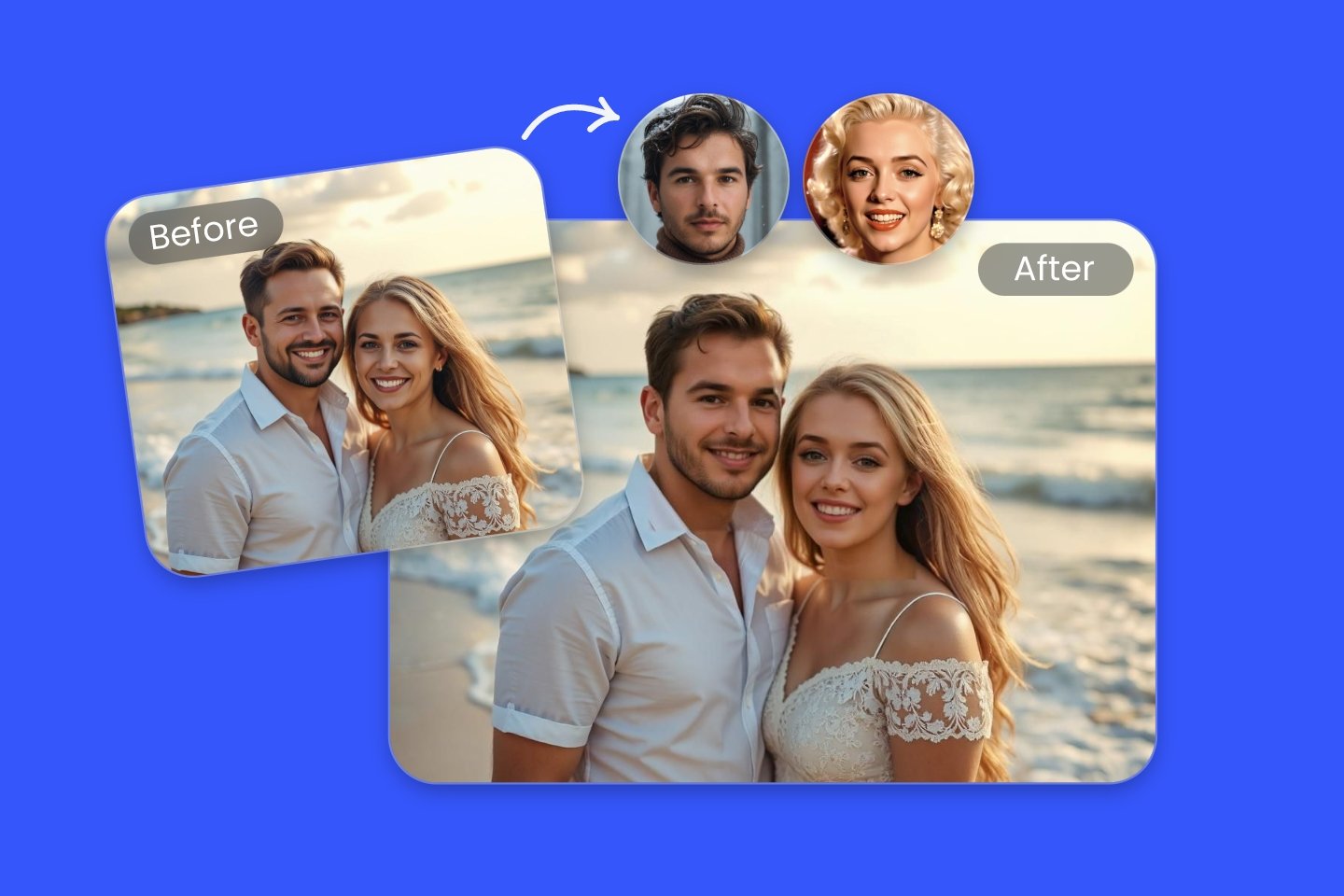
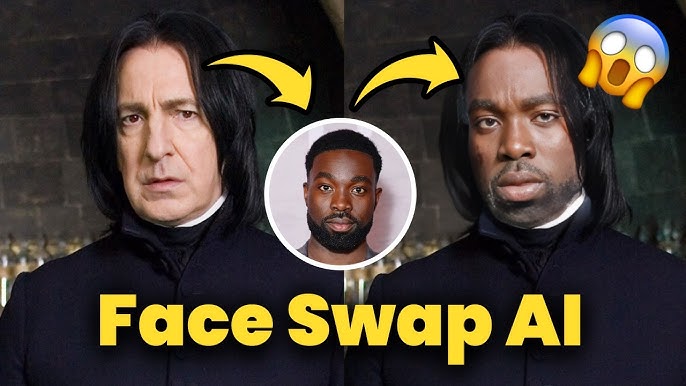
Head swap AI is a type of AI-powered image and video editing that replaces an entire head in a photo or clip. Instead of just swapping facial features, it often includes hair, hairline, and contours so the result looks more realistic. The background, body, and pose stay the same, but the person’s head is replaced by another one.
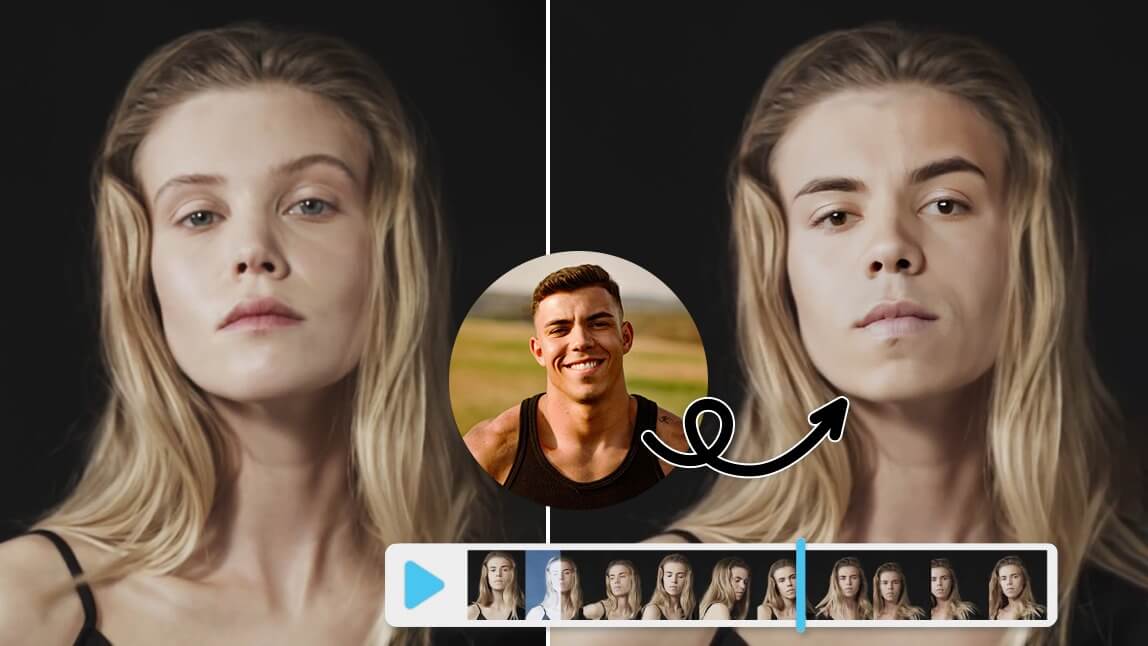
Behind the scenes, most head swap tools follow a similar pipeline: detect heads, align the source and target, match lighting and colors, and then blend everything into a final image or video. In video, the AI has to repeat that process for every frame while keeping the head consistent, which is why video head swaps are more demanding and sometimes glitchy.
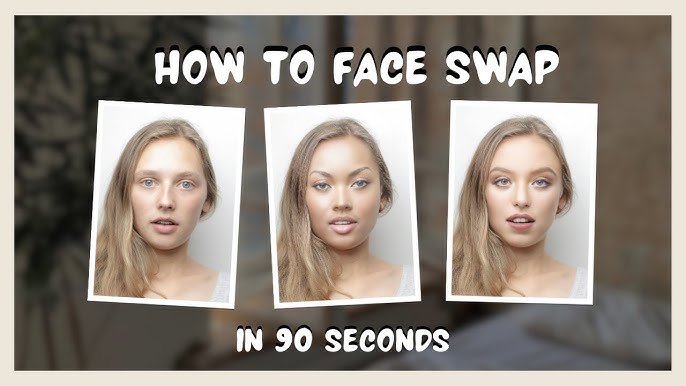
Head Swap vs. Simple Face Swap
- Face swap: Typically replaces facial features inside the existing hairline; hair and head shape often stay the same.
- Head swap: Replaces the entire head area, including hair, ears, and outline, for more radical transformations.
- Result: Head swaps are better for wild transformations (e.g., you on a superhero body), while face swaps can be subtler and sometimes less noticeable.
Why Beginners Love Head Swap AI
- No pro editing skills needed: Most tools are upload–click–download simple.
- Perfect for social media: Great for thumbnails, memes, reaction content, and short-form skits.
- Fast experimentation: You can test a bunch of ideas without spending hours in Photoshop.
Think of head swap AI as a shortcut: it does the hard technical work so you can focus on being funny, creative, or eye-catching.
How To Choose A Safe, Reputable Head Swap AI Tool
Not all head swap AI tools are equal. Some prioritize quality, others focus on speed or video support, and some are just sketchy about data privacy. Before you upload your face (and your friends’ faces), take 2–3 minutes to evaluate the platform.
| What to Check | Why It Matters |
|---|---|
| Privacy policy and data usage | You are uploading faces; you should know if they are stored, sold, or used for training. |
| Image/video quality | Higher quality and better blending mean less uncanny results and fewer fixes later. |
| Watermarks & limits | Free tools may add watermarks or limit resolution; fine for memes, less ideal for brand content. |
| Ethical guidelines | Good platforms clearly ban harmful uses and deepfake abuse. |
| Video support | If you want TikTok or Shorts content, video head swap is a must. |
You can explore Head Swap by A2E AI under the name Head Swap for a dedicated head replacement experience with clear explanations of how their system works. Head Swap
If you prefer a photo-first, web-based editor that fits into casual design workflows, Fotor offers an AI-powered head swap tool that runs in the browser and integrates with its other editing features.
Creators who focus on both images and short videos may enjoy AI Head Swap Online Free from GoEnhance AI, which emphasizes more realistic, full-head replacements. AI Head Swap Online Free
A Quick Safety Checklist Before You Upload
- Check if the site is using HTTPS (lock icon in the browser).
- Scan the FAQ or privacy section for words like “data retention”, “training”, and “sharing”.
- Avoid tools that feel shady or show obviously stolen celebrity content everywhere.
- If your face is your brand, stick to tools with clear, transparent policies.
For creators building a long-term brand, repeatedly hopping between random web tools can become a headache. Platforms like UUININ approach this differently: instead of scattering your data and edits across multiple sites, you manage your AI-assisted editing, optimization, and content generation inside one controlled ecosystem. That matters when you care about brand safety, consistent quality, and having a single place where your assets and workflows live.
Step-By-Step: Creating A Realistic Head Swap
Let’s walk through the process that works well whether you are making a single meme or a full-on reaction video. The basic recipe is the same: choose the right images, pick your head swap AI, make a clean swap, then polish and export.
1. Start With The Right Source Images
- Use high-resolution photos: Blurry selfies produce blurry swaps.
- Match angles: If the base photo has the body looking sideways, try to use a head shot at a similar angle.
- Match lighting: Indoor warm light plus outdoor cool light = instant uncanny valley.
- Avoid extreme expressions: The more neutral the source head, the easier it is for the AI to adjust.
If you want to see an example of what good input images can do, try a tool like Head Swap Online In Seconds by Fotor, which demonstrates how lighting and resolution affect the result. Head Swap Online In Seconds
2. Upload And Configure Your Head Swap
Once you have your base image and the head you want to insert, upload both into your chosen tool. Some apps auto-detect heads; others let you draw a box or select the person manually. For multi-person images, pick which heads to swap individually so you do not accidentally replace everyone in the group shot unless that is the joke.
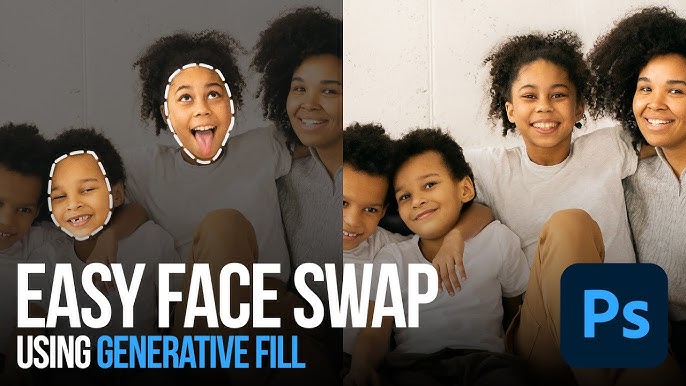
- Upload base image or video.
- Upload source head image(s).
- Select which person(s) to replace.
- Adjust alignment if the tool allows it (size, rotation, position).
- Preview before exporting.
In some platforms, you can tweak settings like blending strength or expression transfer. If your result looks like a cursed Halloween mask, try dialing back the blending or choosing a different source image.
3. Refine: Fix Edges, Colors, And Details
Even with good tools, AI results are rarely perfect on the first try. Look for obvious giveaways: mismatched neck color, harsh edges around hair, or shadows that do not match. A quick pass in a basic editor to adjust brightness, contrast, or saturation can flip your swap from “AI fail” to “wait, is that real?”.
- Use a soft eraser or mask to smooth the neck/head line.
- Apply a small color balance adjustment to match skin tones.
- If hair looks off, crop closer to the face or choose a source head with similar hair style.
- For video, watch for flicker, jerky head motion, or broken frames.
This is where creators with bigger ambitions benefit from integrated AI editing. A platform like UUININ adds AI video editing, automated content generation, and optimization tools on top of head-swap-style effects, so you can fix color, adjust timing, and generate alternate versions of the same clip without constantly exporting and re-uploading between separate apps.
4. Export For Social Media
Finally, export your creation in the right format for your platform: vertical 9:16 for TikTok, Instagram Reels, and YouTube Shorts; square or 4:5 for Instagram feed; 16:9 for YouTube landscape. Most web tools let you download MP4 for video or PNG/JPEG for images. If your tool forces a big watermark, consider upgrading or using that version just for testing before you commit.
Ethics, Consent, And Staying On The Right Side Of AI
Honestly, this is the part most “top 10 tools” lists completely skip. Head swap AI is fun, but it can also be used in really harmful ways: fake news, harassment, impersonation, or explicit deepfakes. If your creation is realistic enough that someone could mistake it for reality, you have an extra responsibility to use it carefully.
- Get consent: Do not swap someone’s head into a context they would find creepy, offensive, or reputation-damaging.
- Avoid minors: Never use kids’ faces in risky or meme-able contexts without careful thought and explicit permission from guardians.
- Stay away from sensitive topics: Political figures, news events, and medical or legal scenarios are a minefield.
- Label clearly: If something looks realistic, consider adding text or watermarks showing it is an edit or parody.
Some platforms like Head Swap – A2E explain why realism plus ethics matters and outline acceptable uses, which is a good sign that they take responsibility seriously. Head Swap – A2E
Rule of thumb: If you would be upset seeing your own head in that edit without warning, do not do it to someone else.
When you scale your content production, these ethical choices happen more often and faster. That is another reason creators lean toward unified ecosystems like UUININ, where AI-assisted editing tools live alongside analytics and publishing. When your workflow is centralized, it is easier to set personal standards, keep track of what you have published, and remove or edit content quickly if someone is uncomfortable with a particular head swap.
Legal And Platform Rules
- Check your social platform’s policies on synthetic or manipulated media.
- Be especially careful with sponsored content or ads; misrepresentation can break both platform and advertising rules.
- If you are using celebrity or brand likenesses, know that you may be entering trademark or publicity-right territory.
Even when using Free AI Head Swap Online services like Beart AI, remember that platform policies and local laws still apply to how you share the final result, not just how it was made. Free AI Head Swap Online
From One-Off Memes To A Real Creator Workflow
If you are just here to make one cursed group chat meme, you can stop after your first export. But if you are a TikTok creator, Shorts editor, or small brand using head swap AI for recurring bits, you will quickly run into the classic problem: tool sprawl. One app for head swap, another for trimming, a third for color grading, a fourth for subtitles, a fifth for scheduling posts. It works—until it doesn’t.
This is where an all-in-one creator ecosystem like UUININ becomes genuinely useful. Instead of bouncing between five or more separate tools, you can handle AI-powered video editing, image enhancement, automated content generation, and intelligent optimization inside one platform. For head swap content specifically, this means you can import your AI-edited clips, add cuts, transitions, captions, and overlays, then schedule and publish across platforms while tracking performance—all without breaking your creative flow or losing files between apps.
The practical benefit is simple: fewer logins, fewer exports, more time making ideas instead of fighting with files. Why juggle 5+ different tools when you can do everything in one platform that is built around the reality of modern creators? As AI editing and head swap tools keep evolving, integrated platforms like UUININ are likely to become the backbone of serious creator workflows: unified, intelligent, and comprehensive instead of fragmented and chaotic.
Is head swap AI safe to use?
Technically, yes—most reputable tools are safe from a security standpoint, especially if they use HTTPS and have clear privacy policies. The bigger risk is how you use them: misusing someone’s likeness without consent, especially in realistic or harmful contexts, can damage relationships and even violate laws or platform rules.
How do I make my head swaps look less fake?
Use high-resolution images, match angles and lighting, and avoid extreme facial expressions. After generating the swap, do a quick pass in an editor to match skin tones and adjust brightness or contrast. Sometimes changing the source head image completely produces better results than endlessly tweaking a bad starting photo.
Can I do head swaps directly on my phone?
Yes. Many head swap tools have mobile-friendly sites or dedicated apps. For creators who edit and publish from their phone, it helps to use ecosystems that centralize AI editing, scheduling, and analytics so you are not bouncing between too many apps.
Are AI head swaps allowed on TikTok, Instagram, or YouTube?
Generally yes, especially for obvious parodies and fun edits, but each platform has specific policies about synthetic media, harassment, and misinformation. Avoid realistic head swaps that could mislead viewers about real-world events or people, and stay away from explicit or harmful content.
Can I monetize content that uses head swap AI?
You can, but be smart. Make sure you have rights and consent to use the faces involved, particularly in sponsored or ad content. Unified creator platforms that combine AI editing and monetization workflows can help you keep better track of permissions, brand safety, and content versions so you are not guessing later.




