

Face swapping has come a long way from quirky social media filters to powerful, AI-driven platforms. One of the frontrunners in this space is DeepSwap AI—a user-friendly, web-based solution that enables realistic face swaps in photos, videos, and GIFs. But with great power comes great responsibility! In this guide, you’ll learn how to get started with DeepSwap, maximize your results, and avoid common privacy and ethical pitfalls. Designed for creators, marketers, and meme makers, this article breaks down each step, shares practical tips, and highlights best practices so you can swap faces safely and impressively.
What Is DeepSwap AI—and Why Is It Different?
DeepSwap AI is an online platform that specializes in hyper-realistic face swapping. Founded in New York in 2021, DeepSwap uses advanced deep learning algorithms to seamlessly swap faces in videos, GIFs, and photos. Unlike basic filter apps, DeepSwap’s proprietary model achieves over 90% similarity, handling tricky scenes such as varied angles, expressions, and lighting conditions. Its features extend beyond face swaps to include background removal, cartoonizing, and photo enhancement—making it a versatile toolkit for creators and marketers.
- Swaps faces in photos, videos, and GIFs with high realism
- Handles multiple faces and challenging scenes
- Offers HD and 4K output for crisp results
- Includes extra AI tools like background removal and photo enhancement
Interested in exploring DeepSwap’s features firsthand? Visit DeepSwap.ai for more details and a demo. DeepSwap.ai
Getting Started: Setting Up and Uploading Content
New to DeepSwap? No worries—its slick, web-based interface is welcoming for beginners. Registration is optional for basic use, but signing up unlocks more features and allows you to manage your swaps. Here’s how to get started:
- Go to DeepSwap’s website and choose ‘Face Swap.’
- Upload your source image, video, or GIF.
- Upload the face you want to swap in (make sure it’s a clear, front-facing photo for best results).
- Preview the swap and tweak options (e.g., adjust alignment or swap multiple faces).
- Download your finished creation—HD/4K options available for premium users.
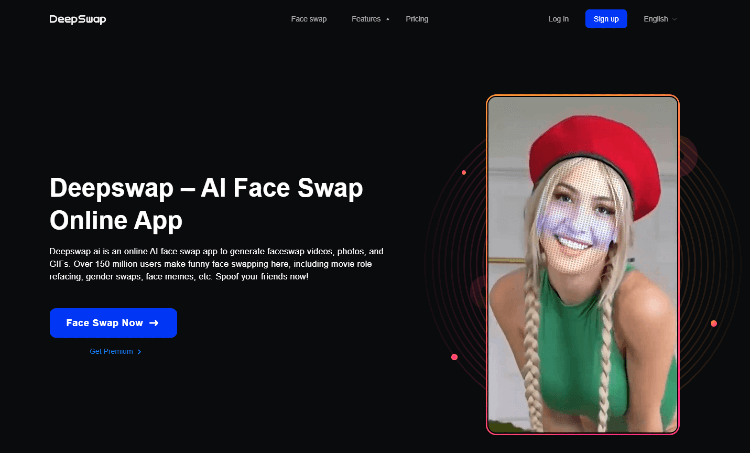
Tip: Use well-lit, high-resolution images for both source and target faces. The more details DeepSwap has to work with, the more realistic your result will be.
Maximizing Realism: Pro Tips for Better Face Swaps
Getting a believable face swap isn’t just about hitting ‘go.’ Here’s how to get pro-level results, whether you’re making memes or marketing content:
- Pick faces with similar skin tones, expressions, and lighting to your source media.
- Crop and align the target face as closely as possible to match the source angle.
- For video swaps, choose clips with minimal head movement and obstruction.
- Use DeepSwap’s enhancement tools to fine-tune color, sharpness, and background.
- Experiment with cartoonizing or background removal for creative effects.
Common Mistakes to Avoid
- Swapping faces with poor lighting or resolution—results often look unnatural.
- Ignoring alignment—misaligned swaps may create distracting artifacts.
- Using copyrighted or celebrity images without permission.
Pricing, Plans, and What You Get
DeepSwap offers a flexible pricing structure to suit casual users and power creators alike. Free users can swap a limited number of photos and GIFs, while paid plans unlock more swaps, HD/4K output, and video support. Premium plans start at $9.99/month, with discounts for annual subscriptions. Be sure to review the latest pricing and features, especially if you’re planning to use DeepSwap for business or high-volume projects.
| Feature | Free Tier | Premium Tier |
|---|---|---|
| Photo/GIF Swaps | Limited | Unlimited |
| Video Swaps | Unavailable | Available |
| HD/4K Output | Unavailable | Available |
| Other AI Tools | Basic | Full Access |
See a detailed DeepSwap AI Review for comparison and user feedback. DeepSwap AI Review
Safety, Privacy, and Responsible Use
Let’s address the elephant in the room: Deepfake technology, including DeepSwap, can be misused. DeepSwap AI has built-in safeguards, such as automatic deletion of uploads after about a week and filters for objectionable content. However, the responsibility ultimately lies with you. Here are essential tips for safe and ethical use:

- Always get consent before swapping someone’s face—especially for public or commercial projects.
- Do not use DeepSwap for harassment, impersonation, or spreading misinformation.
- Avoid using faces of minors or celebrities unless you have explicit rights.
- Review DeepSwap’s privacy policy and terms to understand how your data is handled.
- Respect local laws—face swaps may have legal implications in some countries.
Remember: What seems funny or harmless to you may be distressing or unlawful to someone else. Use DeepSwap as a creative tool, not a weapon.
Read about DeepSwap AI’s privacy and ethical guidelines at Blockchain Council. Blockchain Council
Creative and Practical Uses for DeepSwap AI
Looking for inspiration? DeepSwap isn’t just for memes—here are smart, ethical ways to put it to work:
- Create personalized marketing videos with your team’s faces.
- Make GIFs for social media engagement (just swap your face into a trending meme).
- Design fun family or corporate holiday cards.
- Enhance educational content—put historical faces into modern scenes.
- Build avatars for gaming or virtual meetings.
Discover more creative ideas and content guidelines on Must Have AI. Must Have AI
How Does DeepSwap Compare to Competitors?
| Platform | Strengths | Weaknesses |
|---|---|---|
| DeepSwap | High realism, video support, fast processing | Paid plans required for advanced features |
| Reface | Fun filters, meme tools, mobile-first | Less realism, limited video support |
| DeepfakesWeb | Open-source, customizable | Steeper learning curve, slower processing |
For more on DeepSwap’s business and credibility, see Crunchbase Company Profile. Crunchbase Company Profile
Final Thoughts: Responsible Swapping Is the Best Swapping
DeepSwap AI opens up new worlds for creators, marketers, and meme lovers—but its realism demands responsible use. Always respect privacy and rights, create with consent, and use these tools to empower, not embarrass. The AI genie isn’t going back in the bottle, so let’s be the good kind of wizards. Happy swapping!
Is DeepSwap AI safe to use?
Yes, DeepSwap has privacy safeguards and deletes uploads after a short period. However, safety also depends on responsible user behavior.
Can I use DeepSwap for commercial projects?
You can, but you must obtain rights/consent for any faces used, and follow all applicable laws and DeepSwap’s terms.
Are there any free options?
DeepSwap offers a free tier with limited swaps. For HD/4K output and videos, you’ll need a premium plan.
What is the best way to get realistic results?
Use high-quality source and target images, align faces closely, and experiment with DeepSwap’s enhancement tools.
Does DeepSwap store my data?
According to DeepSwap, uploads are deleted after about a week and personal data is not permanently stored.




