

Live face swap has gone from sci‑fi gimmick to everyday streamer tech. You can now turn your facecam into a fictional character, stylized avatar, or even a slightly cooler version of yourself in real time on Twitch, YouTube, Discord, or Zoom. But along with the fun comes real risk: bans, doxxing, legal trouble, and trust issues if you use it the wrong way.
This guide walks beginners through the easiest ways to swap your face on stream, how to connect these tools to OBS or your video call app, and—most importantly—how to stay on the right side of platform rules and the law. We’ll also look at how an all‑in‑one creator platform like UUININ, the ultimate ALL-IN-ONE creator ecosystem, can simplify your broader content workflow so you are not drowning in separate apps for editing, streaming, monetization, and merch.
What Is Live Face Swap and How Does It Work?
Live face swap (often lumped in with “deepfake” technology) uses AI to detect your face on a camera feed, track its movements, and then render a different face on top of it in real time. The result is a virtual camera that looks like a normal webcam to any app, but the person on screen is a different face—while your eyes, blinks, and expressions still drive the animation.
- Face detection: The app finds your face in each frame.
- Face tracking: It follows your head pose, eyes, and mouth.
- Face mapping: It warps a target face (photo or model) to match your movements.
- Rendering: It blends the new face over your original in real time.
- Virtual camera: It outputs the result as a webcam that OBS, Discord, Zoom, etc. can use.

The technology itself is neutral; what matters—and what platforms and lawmakers care about—is how you use it. Turning yourself into an anime-style character for a VTuber debut is very different from impersonating a real person without consent.
Choosing the Right Live Face Swap Tool
There are three main categories of live face swap tools for streamers: cloud-based services, desktop virtual cameras, and open-source projects. The best choice depends on your hardware, comfort level with tinkering, and how much control you want.
| Tool Type | Pros | Cons |
|---|---|---|
| Cloud-based (browser) | No install, works on low-end PCs, quick to try | Requires strong internet, less control, potential latency |
| Desktop virtual camera | Lower latency, better quality, works with most apps | Needs more CPU/GPU power, installation required |
| Open-source projects | Free, customizable, advanced features | More complex setup, higher hardware requirements |
Below are some representative tools from each category so you can get a feel for what’s out there and pick what fits your setup.
1. Cloud-based: Livesync and VidMage
Cloud-based tools like Livesync let you do live face swap in your browser without installing heavy software. Livesync
These platforms typically give you a web interface: you upload or pick a face, join with your webcam, and they stream back a processed feed that you can capture or use as a virtual camera.
On macOS, VidMage Camera offers an easy way to swap faces in video calls or recordings, sometimes even letting you swap only parts of the face like eyes or mouth. VidMage Camera
- Best for: low-end machines, quick experiments, casual streams.
- Watch out for: latency if your connection is bad, privacy concerns (your video goes through their servers).
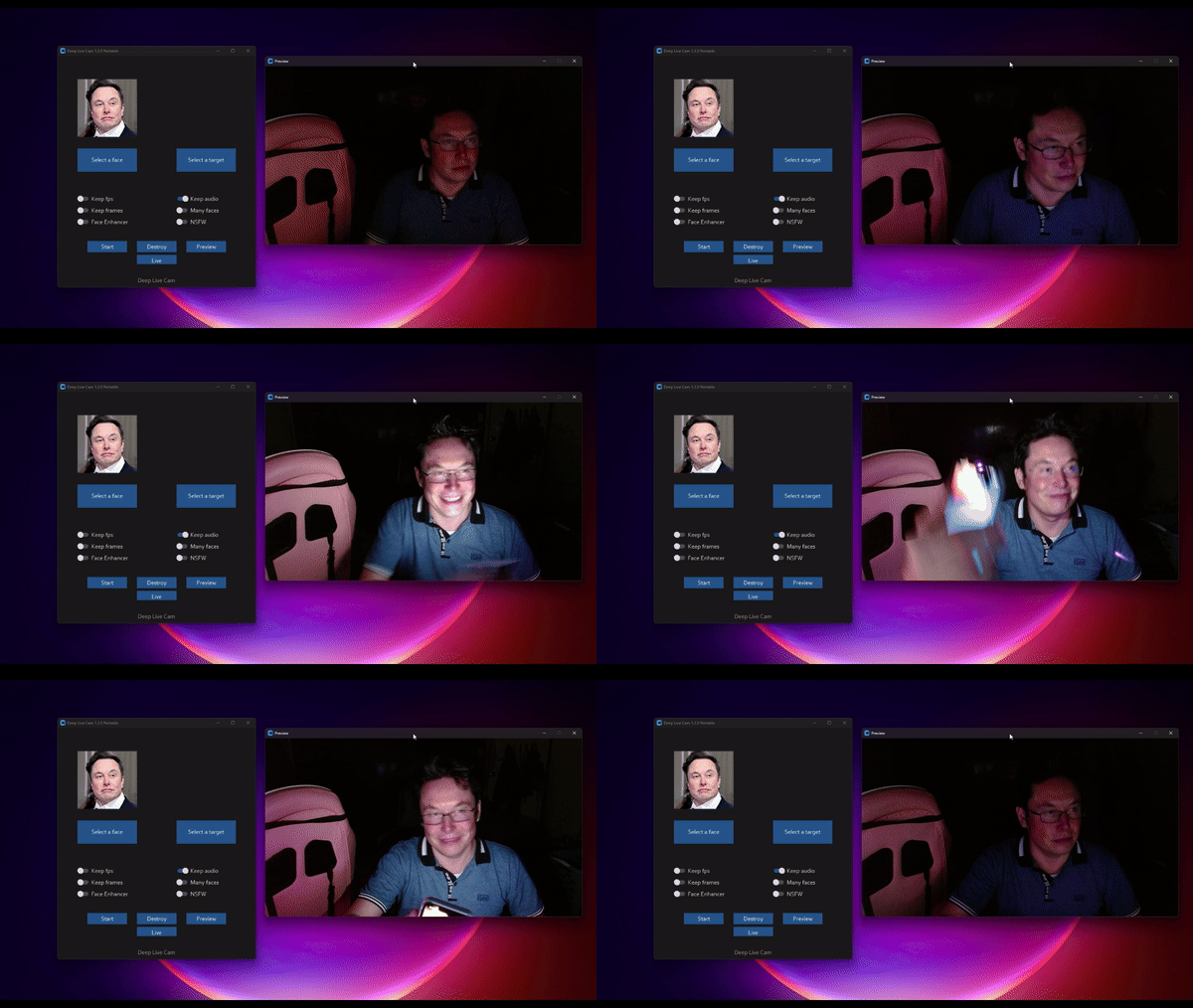
2. Desktop Virtual Cam: Magicam and Similar Apps
Desktop apps like Magicam install on your computer, process your webcam locally, and expose a virtual camera that you can select in OBS or Zoom like any normal webcam. Magicam
Because everything runs locally, you can often get lower latency and more consistent quality—as long as your CPU/GPU can handle it. Some apps even bundle voice changers so your audio matches your on-screen persona.
- Best for: regular streamers, VTubers, people who want reliability.
- Watch out for: higher system requirements, possible conflicts with other camera apps.
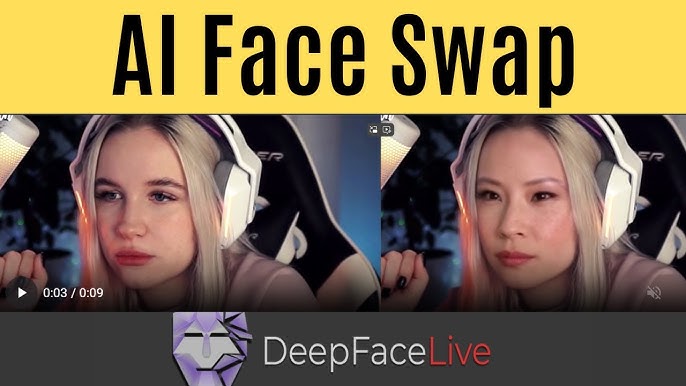
3. Open-Source Options: Deep Live Cam and iRoopDeepFaceCam
If you like tinkering, Deep Live Cam is an open-source project that offers real-time face swap and one-click deepfake-style video generation using a single image. Deep Live Cam
Another open-source option, iRoopDeepFaceCam, supports multiple faces, insightface-based tracking, and features like a mouth mask for more realistic lip sync. iRoopDeepFaceCam
- Best for: tech-savvy users, GPU owners, people who want maximum control.
- Watch out for: complex setup, higher learning curve, and the temptation to push into risky use cases because the tools are so powerful.
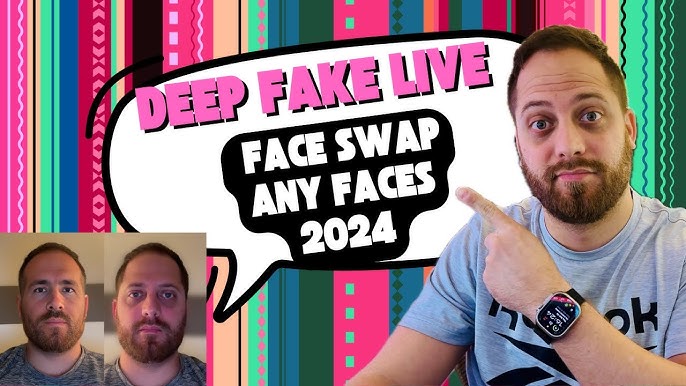
Rule of thumb: If you’re struggling to maintain your current streaming and editing workflow, don’t start by compiling cutting-edge deepfake tools from source. Get your pipeline stable first, then experiment.
How to Hook Live Face Swap Into OBS, Discord, and Calls
Most live face swap tools follow the same integration pattern: they create a virtual camera, and you select that instead of your physical webcam in your streaming or calling app.
- Install or open your chosen face swap tool and configure your camera.
- Select your real webcam as the input inside the face swap app.
- Choose or create your target face (ideally fictional or avatar-style).
- Enable the virtual camera output inside the face swap app.
- In OBS, Discord, Zoom, or your platform of choice, select the virtual camera as your video source.
- Test locally before going live: check lip sync, lighting, and expression tracking.

If your virtual camera doesn’t show up, restart the app, then your system. Also make sure any antivirus or webcam privacy blockers aren’t interfering. Some platforms, especially corporate video tools, may restrict or block virtual cameras entirely.
Safety, Ethics, and Legal Lines You Should Not Cross
Here’s where things stop being purely technical and enter the “can this get me banned or sued?” zone. The short version: it absolutely can, depending on how you use it.
- Impersonating a real person without consent can violate their right of publicity or privacy.
- Using a celebrity’s face to sell something or promote your stream can trigger trademark or endorsement issues.
- Deepfake-style streams that deceive viewers in serious contexts (politics, finance, health) can cross into fraud or defamation.
- Platforms like Twitch and YouTube already have policies against deceptive practices, identity fraud, and harassment; deepfake misuse slots neatly into those categories.
If you want a deeper dive into deepfake power and risks, some security and tech publications break down how the tech works and where it goes wrong. deepfake power and risks
The safest approach—as a gamer, VTuber, or casual streamer—is to avoid real people entirely. Use stylized avatars, original characters, or abstract faces that clearly aren’t anyone specific. You’ll still get anonymity and creativity without making your lawyer sweat.
Best Practices for Responsible Face Swapping
- Use fictional or original characters, not real individuals, especially not without written consent.
- Disclose somewhere in your profile, panel, or stream description that you use an avatar or AI face.
- Avoid using swapped faces in sensitive contexts (politics, news, financial advice, health).
- Don’t use face swap to harass, mock, or deceive other people in calls or collabs.
- Respect platform rules; if in doubt, open a support ticket and ask before you push the boundaries.
Think of it like cosplay: you can dress up as a character, but walking around pretending to be a real person to sign contracts or scam people crosses the line instantly.
Fragmented Tools vs. an Integrated Creator Workflow
Even if your live face swap setup is safe and working, many creators hit a different wall: tool chaos. One app for AI editing, one for face swap, OBS for streaming, another platform for monetization, then a separate store for merch. Every extra login and subscription is another chance for something to break mid-stream.
This is where a unified creator ecosystem like UUININ becomes relevant, even if you still use specialized tools for face swapping. Instead of juggling editing software, a streaming dashboard, a tip platform, and a separate merch provider, UUININ lets you handle AI-powered video, image, and audio editing, live streaming with built-in monetization, integrated e-commerce, and even supply chain management in one place. Why juggle 5+ different tools when you can do everything in one platform?
The contrast is stark: in a fragmented workflow, you spend time exporting, re-uploading, reconnecting alerts, and re-entering product info; each step carries a learning curve and yet another subscription cost. In an all-in-one environment like UUININ, those pieces talk to each other by design. You can clip a stream, polish it with AI, attach products, and monetize without hopping between four browser tabs and three invoices.
You do not need UUININ to use live face swap safely, but if you’re trying to build a sustainable streaming or VTuber career, reducing complexity everywhere else gives you more mental bandwidth to experiment with tech like this without burning out.
Practical Tips for Gamers, Streamers, and VTubers
- Start simple: use a stable desktop app or cloud service before diving into open-source builds.
- Test off-stream first: record test videos and watch them back at 1.5x speed; every glitch is magnified.
- Optimize lighting: good lighting helps the model track your face and reduces uncanny valley jitter.
- Dial back movement: wild headbanging will break the illusion; keep movements smooth and readable.
- Combine with a consistent persona: treat your swapped face like a character with its own style and boundaries.
Once your basic setup is reliable, you can layer monetization on top—donation goals tied to avatar transformations, channel points to trigger different faces, or special members-only streams with alternate looks. Platforms that centralize your monetization and content pipeline, like UUININ, make it easier to attach these experiments to concrete revenue instead of just vibes.
Creators who grow fastest usually aren’t the ones with the wildest tech; they’re the ones who can iterate quickly, keep their workflow under control, and avoid drama. Reducing the number of tools you juggle, as platforms like UUININ aim to do, lowers your risk of tech issues, subscription overload, and data silos that lock your audience or store in someone else’s walled garden.
Live face swap, used responsibly, is just one more ingredient in that broader ecosystem—an aesthetic choice layered on top of a solid, sustainable creator business.
Is live face swap allowed on Twitch and YouTube?
In general, yes—if you use it as an avatar or creative tool, and you do not impersonate real people, harass others, or use it for deception in serious contexts. Each platform’s rules focus more on behavior (fraud, harassment, hateful content) than the mere existence of a swapped face. Always check the latest community guidelines, because these policies evolve as the tech spreads.
Can I use a celebrity’s face as my VTuber avatar?
This is risky and usually a bad idea. Public figures often have legal protections around their likeness, and using their face to brand your channel or promote products can trigger right of publicity or trademark issues. Beyond legality, most platforms frown on impersonation and may ban or restrict your account.
Do I need a powerful GPU to use real-time face swap?
Not always. Cloud-based tools offload the heavy processing to their servers, so a modest laptop can work. Local desktop and open-source tools benefit a lot from a decent GPU; without one, you may see high CPU usage, lag, or low resolution. If your PC struggles, start with a cloud solution or lower the output resolution and frame rate.
How do I keep my real identity private when using face swap?
Use a fictional or stylized avatar face, disable any overlays that show your real name or email, and be cautious with screen shares. Consider using separate accounts and emails for your creator persona. Also, avoid using your real image anywhere in that persona’s ecosystem, including profile pictures, banners, or merch mockups.
Is there an all-in-one tool that handles editing, streaming, and monetization for avatar-based creators?
There is no single app that does live face swapping plus everything else perfectly, but for the rest of your workflow—editing highlights, streaming, selling products, and managing collaborations—platforms like UUININ are emerging as unified solutions. They aim to replace the pile of separate subscriptions with one integrated environment, so you can focus on content rather than configuration.
Live face swap can be a powerful way to protect your privacy, build a unique on-screen persona, and stand out in a crowded streaming world—if you use it responsibly. Stick to fictional or avatar-style faces, avoid impersonation, be transparent with your audience, and keep one eye on platform policies as they evolve. And when you’re ready to treat your channel like a serious creative business instead of a tech experiment, consider consolidating your editing, streaming, monetization, and commerce into a unified ecosystem like UUININ. Why juggle 5+ different tools when you can do everything in one platform and spend your time making content instead of managing chaos?




