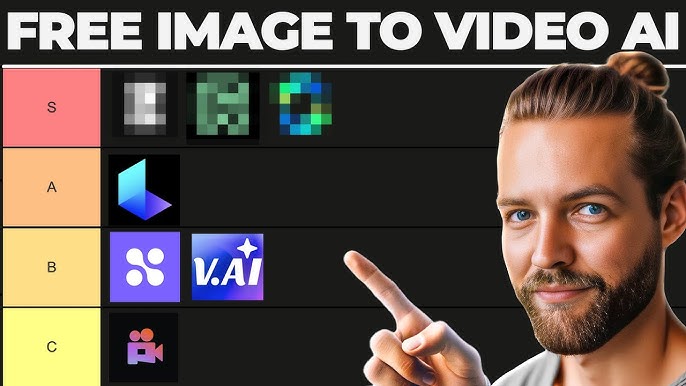
Static images have always been a powerful storytelling tool, but in today’s fast-evolving digital landscape, dynamic videos reign supreme for engagement. Thanks to the rise of AI-powered platforms, even beginners can now transform their still photos into captivating videos—no advanced editing skills required! In this beginner’s guide, we’ll walk you through actionable methods, top platforms, practical tips, and common pitfalls to help you bring your images to life with AI.

Why Use AI Tools to Animate Images?
Video content grabs attention, conveys emotion, and boosts social media reach. Traditionally, turning images into videos required tedious editing or motion graphics experience. AI tools now automate this process, offering intuitive interfaces, creative templates, and realistic animations at the click of a button. Whether you’re a content creator, marketer, or small business owner, AI platforms democratize dynamic storytelling.
- No technical skills required
- Fast and automated workflows
- Creative templates and customization
- Enhanced engagement on social media
Real-World Benefits
Imagine turning your vacation snapshots into a stunning travel montage, animating product shots for your online shop, or making your Instagram feed pop with cinematic flair. The possibilities are endless—and only a few clicks away.
Top AI Image-to-Video Platforms: A Beginner’s Overview
Let’s explore the best AI tools that can help you animate static images effortlessly. Each platform offers unique features, so we’ve summarized their core strengths and provided direct links for further exploration.
| Platform | Key Features |
|---|---|
| VidFlux.ai | Multiple AI models, customizable prompts, aspect ratios |
| AdCatalyst.ai | Diverse models, video duration control, resolution options |
| Magic Hour | Quick & Studio modes, cinematic templates, beginner-friendly |
| Google Photos | Generative AI animation, creative motion styles |
| Adobe Firefly | Integrated with Creative Cloud, text-to-video, advanced AI |
Quick Comparison of AI Platforms
- VidFlux: Best for users seeking extensive customization and access to industry-leading models.
- AdCatalyst: Ideal for those who want control over video length and resolution.
- Magic Hour: Perfect for beginners and creators after cinematic flair.
- Google Photos: Most convenient for casual users already using Google services.
- Adobe Firefly: Robust choice for professionals needing deep integration and creative flexibility.
Step-by-Step: Turning Images Into Videos With AI
Ready to animate your images? Here’s a simple walkthrough that works on most popular platforms:
- Sign up or log in to your chosen AI platform.
- Upload your static image(s) or select from your gallery.
- Choose your preferred AI model (if available)—some platforms offer cinematic, realistic, or creative styles.
- Enter any prompts or select motion templates. This is where you define the animation style, mood, or storytelling angle.
- Adjust settings like duration, aspect ratio, and resolution to fit your target channel (Instagram, TikTok, YouTube, etc.).
- Preview the generated video, make tweaks if needed, and download or share directly.
Practical Tips for Beginners
- Start with high-quality images for best results.
- Experiment with different animation styles—subtle motions often look more natural.
- Use concise prompts if your platform supports text-to-video.
- Keep videos short for social media impact.
- Preview before exporting—most platforms allow easy edits.
“Don’t be afraid to experiment! AI tools are designed to make creativity accessible, and the undo button is your best friend.”
Common Pitfalls & How to Avoid Them
- Over-animating: Too much motion can make videos look unnatural. Opt for moderation.
- Low-resolution images: AI can’t fill in details that aren’t there—use crisp, clear photos.
- Ignoring platform limits: Some free tools have watermarking or export restrictions.
- Skipping previews: Always preview your video to catch odd artifacts or glitches.
- Neglecting copyright: Only use images you own or have rights to animate.
Expert’s Humor Corner
Here’s a little secret: If your first AI-generated video looks like a surreal Picasso painting, don’t panic! Most platforms are constantly updating their models—so what looks bizarre today may be a masterpiece tomorrow.
Where to Find the Best AI Tools for Image-to-Video Conversion?
Explore VidFlux.ai for all-in-one AI image-to-video conversion with customizable models and prompts.
Discover how AdCatalyst.ai can help you animate images with control over duration and style.
Transform your photos into cinematic videos using Magic Hour’s beginner-friendly interface.
Learn more about Google Photos’ AI-powered animation features.
Check out the latest updates in Adobe Firefly and its integration with OpenAI and Google AI models.
Creative Use Cases and Inspiration
- Social media teasers for product launches
- Personalized family slideshows with animated effects
- Marketing materials with dynamic visuals
- Event promotions and invitations
- Portfolio showcases for artists and photographers

